Why Doesn't My Air Conditioner Turn On? A Practical Troubleshooting Guide
Urgent troubleshooting guide to diagnose why your air conditioner won't turn on, with a step-by-step flow, safety tips, and prevention.


Most likely, your air conditioner won’t turn on because of a basic power or control issue. Check that the thermostat is set to Cool and the target temp is below the room temperature, then confirm the unit has power and the circuit breaker or disconnect is ON. If it still won’t start, inspect fuses/contactor and call a pro.
What to check first: power and thermostat basics
If you're wondering why doesn't my air conditioner turn on, start with the simplest factors: power, thermostat, and basic safety. According to Air Conditioner Service, most no-start issues originate from power or control settings rather than a failed compressor. Begin by confirming the thermostat is set to Cool and the target temperature is below the current room temperature. Inspect the thermostat display; if it's blank or shows an error, replace batteries or reset the device. Then verify that the outdoor unit and indoor handler have power. Check the circuit breaker for your system and any fuses in the disconnect near the outdoor unit. If the breaker has tripped, switch it fully OFF and then back ON. After these checks, try restarting the system from the thermostat. If it still doesn’t respond, move to the next checks described in the diagnostic flow.
Common causes at a glance: power, thermostat, and safety switches
The vast majority of no-start conditions hail from power delivery, thermostat misconfigurations, or safety interlocks. A tripped breaker, blown fuse, or a disconnected wire can prevent the outdoor condenser or indoor blower from engaging. A thermostat with dead batteries or a mis-set mode can keep the system idle. Safety switches—such as outdoor unit interlocks or condensate overflow switches—are designed to shut the system down if something seems off. Air Conditioner Service notes that these issues are typically easy fixes, but ignore them at your peril. Start with the basics and work toward more complex checks only if the system remains unresponsive.
Safety steps before you touch anything
Electrical components carry real risk. Before inspecting wires or panels, power down the system at the main disconnect and unplug any removable controls when safe. Wear eye protection and avoid touching metal conductors. If you smell burning, hear buzzing, or see signs of damage, stop immediately and call a professional. Never bypass safety features or jump-start a tripped breaker; these steps protect you and the equipment and can prevent costly damage.
Diagnostic flow overview
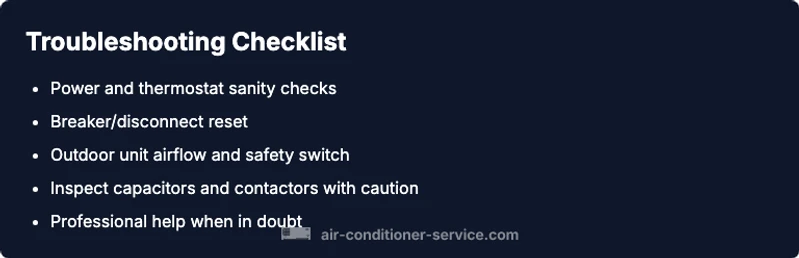
This section aligns you with a practical, safety-first diagnostic flow. Start with the simplest checks that address high-lailure points: is there power at the thermostat and outdoor unit? Is the breaker cleanly reset? Are safety switches engaged properly? If these root causes are ruled out, progress to testing the control wiring, capacitors, and contactors. Throughout, document any codes or abnormal readings to share with a technician if needed. A systematic approach reduces guesswork and speeds up recovery.
Step-by-step: fix most common cause — power supply and breakers
Begin with the power sources. Verify the thermostat has power, check the indoor air handler switch, and inspect the outdoor disconnect. Reset any tripped breaker fully to OFF, then back ON. If the disconnect is OFF, switch it ON and re-test. This often resolves the majority of startup problems because power delivery is the most frequent culprit. If the breaker trips again, there may be an overload or short in the system requiring professional diagnosis.
Step-by-step: thermostat and sensor checks
Next, ensure the thermostat is in Cool mode, with a target temperature below room temperature. If you use a programmable or smart thermostat, confirm it hasn’t fallen into a sleep mode or app disconnect. Replace thermostat batteries if present, and consider temporarily bypassing the thermostat to test direct control if your model allows. A misbehaving thermostat is a frequent no-start cause and easy to fix when identified early.
Step-by-step: outdoor unit and condensate safety checks
Inspect the outdoor condenser for debris, leaves, or ice buildup that could prevent startup. Ensure the outdoor safety switch is engaged and that the area around the unit is clear for airflow. If the condenser is dirty, clean it carefully with a soft brush or cloth. Never spray water directly into electrical components. Clearing airflow restrictions can restore startup torque and prevent overheating conditions that mimic a dead start.
Step-by-step: electrical components and control wiring
If basic power and thermostat checks pass, inspect visible wiring for loose connections or damaged insulation. Look for signs of scorching around the contactor or capacitor. Only test capacitors and contactors if you have proper training and equipment; otherwise, stop and call a pro. Electrical faults can escalate quickly and pose serious safety risks if mishandled.
Step-by-step: troubleshooting strategy for when to call a professional
If the unit still won’t start after all basic checks, or you notice buzzing noises, burning smells, or refrigerant concerns, stop. A licensed HVAC technician can diagnose refrigerant circuits, high-voltage components, and pressure imbalances safely. Prepare a simple report of what you’ve checked and any error codes observed to help the technician diagnose faster.
Prevention tips to avoid future startups
Once your AC is running again, schedule regular maintenance and replace filters every 1–3 months depending on usage. A clean filter and tidy airflow reduce startup resistance. Keep the outdoor unit free from debris and confirm the thermostat firmware is up to date. Establish a winterization habit for outdoor components in cold climates to prevent startup delays in spring.
Steps
Estimated time: 60-90 minutes
- 1
Power check and thermostat sanity
Confirm thermostat is powered and displaying; ensure it's set to Cool with a target below room temperature.
Tip: Use a non-contact voltage tester if you’re unsure about outlet power. - 2
Reset breakers and disconnects
Fully switch the main breaker and the outdoor disconnect OFF, then back ON. Listen for a click as the contactor re-engages.
Tip: Take a quick photo of wiring before touching if you’re uncertain. - 3
Inspect outdoor unit and safety switch
Clear debris and check the safety switch at the outdoor unit; ensure it’s engaged and the unit has airflow.
Tip: Never bypass safety switches; they protect you and the equipment. - 4
Check indoor panel and fuses
Open the indoor access panel and inspect fuses or breakers; look for scorch marks or loose connections.
Tip: Power down before touching any internal components. - 5
Evaluate capacitor and contactor condition
Look for swollen capacitors or burned contactors near the outdoor unit. If you suspect damage, stop and call a pro.
Tip: Capacitors store dangerous charge even when power is off; discharge only if trained. - 6
Test control signal at the contactor
With power on, verify voltage to the contactor coil; a faulty coil means professional replacement.
Tip: Only perform voltage testing with the proper tools and PPE. - 7
Safe operation and final test
After repairs, reset safeguards and run a test cycle; listen for normal startup and monitor for abnormal sounds.
Tip: Keep a log of symptoms to share with a technician later. - 8
Know when to call a professional
If you encounter buzzing, smells, refrigerant concerns, or complex wiring, contact a licensed HVAC tech.
Tip: Have your observed symptoms ready to speed diagnosis. - 9
Preventive maintenance plan
Create a maintenance schedule including filter changes and annual professional checks to reduce startup failures.
Tip: Set reminders on your calendar so maintenance isn’t forgotten.
Diagnosis: No power or no start after pressing the thermostat
Possible Causes
- highPower issue (outlet, circuit breaker, or disconnect tripped)
- mediumThermostat misconfiguration or dead batteries
- mediumBlown fuse or faulty contactor/start capacitor
- lowOutdoor safety switch engaged or condensate overflow
Fixes
- easyCheck outlet and reset the breaker; ensure the disconnect near the outdoor unit is ON
- easyTest and replace thermostat batteries or reset the thermostat
- mediumInspect and replace blown fuses; if capacitor/contactor appears damaged, call a pro
Common Questions
What is the most common reason an AC won't turn on?
Power issues and thermostat misconfigurations are the leading causes. Start with power, breaker, and thermostat checks before investigating components.
The most common reason is a power or thermostat issue. Start with power and thermostat checks before looking at internal parts.
Can a faulty thermostat stop an AC from turning on?
Yes. A dead battery, wrong mode, or connectivity issue can prevent the system from starting even when power is ok.
Yes. Thermostat problems can stop the AC from turning on even if power is fine.
Should I reset the circuit breaker to fix the problem?
Resetting a tripped breaker can restore power, but if it trips again there may be an overload or short requiring professional diagnosis.
Resetting the breaker can help, but if it trips again, call a pro.
Do safety switches prevent startup?
Yes. Outdoor and condensate safety switches shut the system down if conditions are unsafe or airflow is blocked.
Safety switches stop startup if something is unsafe or blocked.
Is it safe to test capacitors myself?
Testing capacitors requires proper tools and training. If you’re unsure, stop and contact a pro to avoid shock or damage.
Capacitor tests should be done by someone trained; don’t risk it yourself.
When should I call a professional?
If basic checks don’t resolve the issue, or you hear buzzing or smells, call a licensed HVAC technician for a safe, thorough diagnosis.
Call a professional if basic checks don’t fix it or you hear buzzing or smell burning.
Watch Video
The Essentials
- Start with power and thermostat checks.
- Reset breakers and verify safety switches before deeper diagnostics.
- A trained technician should handle capacitors and refrigerant issues.
- Document codes or symptoms to speed up service.
- Schedule routine maintenance to prevent future startups.