Why Your Air Conditioner Won't Turn On: Quick Troubleshooting Guide
A practical, step-by-step guide to diagnose why your air conditioner won't turn on, focusing on power checks, thermostat issues, and safety. Get back to cooling fast with safe, proven steps.


An air conditioner that won’t turn on is usually a power, thermostat, or safety switch issue. Start with easy checks: confirm the unit is plugged in, the circuit breaker is ON, and the thermostat is set to cool. If power is present but the unit still won't start, continue the diagnostic flow for safe fixes.
Why the AC Won’t Turn On: Common Causes and Quick Checks
If your air conditioner won't turn on, you’re not alone. According to Air Conditioner Service, most 'not turning on' issues start with power or thermostat problems. These practical checks help you avoid unnecessary service calls and get cooling back sooner. Start with the simplest possibilities before opening panels or touching wiring.
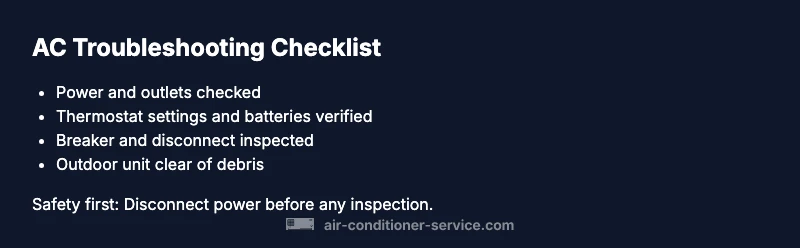
- Power supply: Confirm the unit is plugged in and the outlet is working. If you have a smart switch or power strip, bypass it to rule it out.
- Circuit protection: Check the home breaker and any dedicated AC breaker; reset if tripped.
- Thermostat: Make sure it’s powered, awake, and set to cool. Replace batteries if it’s old or if it’s a wireless model.
- Safety switches: Some systems have a disconnect switch near the outdoor unit; ensure it’s ON and the wiring is intact.
- Quick diagnostic cue: If you hear nothing at startup and see no display on the thermostat, power issues are the most likely culprit. Air Conditioner Service Team notes that many no-turn-on failures stem from simple, safe power or thermostat issues.
Safety First: Powering Down and Safer Handling
Safety is non-negotiable when troubleshooting an AC. Before touching any wires or panels, cut power at the main breaker and, if applicable, the outdoor disconnect. Use a non-contact voltage tester to confirm there is no live power where you intend to work. Keep children and pets away from the area. If you smell burning, hear buzzing, or see visible damage, stop immediately and call a licensed technician. The Air Conditioner Service team emphasizes that most injuries from DIY electrical work are preventable with proper safety steps. Always wear insulated gloves and protective eyewear when handling electrical components.
- Lockout/tagout practices: If you share the space with others, apply a temporary lockout to prevent someone re-energizing the circuit while you work.
- Personal safety: Do not bypass safety features or jumpers to force startup. Compromising safety can cause further damage or fire.
Diagnostic Flow: From Symptom to Solution
A systematic flow helps you identify root causes without guessing. Start with power and thermostat checks, then move to detecting safety switches and outdoor components. Each symptom narrows the likely causes and suggests concrete fixes. This approach aligns with practical guidance from Air Conditioner Service and keeps you focused on safe, small-problem fixes before escalating.
- Symptom: No display or power at the thermostat. Diagnosis: Power or thermostat issue. Action: Confirm power at the unit; check thermostat settings and batteries.
- Symptom: Breaker trips when AC is powered. Diagnosis: Short or overload. Action: Reset and inspect for short or overloaded circuit; if it recurs, call a pro.
- Symptom: Outdoor unit isn’t running but indoor setpoints are correct. Diagnosis: Outdoor disconnect or contactor issue. Action: Inspect disconnect and wiring; listen for motor hums or clicks.
If you’re unsure, it’s safer to consult a professional. The Air Conditioner Service Team recommends prioritizing safety and documenting observations to share with a technician.
Step-by-Step Fixes for the Most Common Cause
- Power supply check: Ensure the unit is plugged in and the outlet is delivering power. If you use a power strip, test the outlet directly. Tip: Try a known-good device in the same outlet to verify power is present. This is the most common reason for a no-turn-on issue.
- Thermostat verification: Confirm the thermostat is on, powered, and set to cooling. Replace batteries if needed and ensure the display is readable. Tip: For smart thermostats, check the app status and Wi-Fi connection.
- Breaker and fuse check: Locate the main panel and the dedicated AC breaker. If it trips, reset it. If it continues to trip, there could be a short elsewhere in the circuit. Tip: If you suspect a short, shut off power and call a pro immediately.
- Outdoor disconnect and contactor: Inspect the disconnect switch near the outdoor unit and confirm it’s ON. Listen for a hum or click from the contactor when power is restored. Tip: A burnt smell or visible damage means professional service is required.
- System reset and wait: Sometimes a simple reset after confirming power restores operation. Wait a few minutes after resetting to observe if the unit starts. Tip: Avoid turning the thermostat off and on repeatedly in quick succession.
- When to call a professional: If the unit still won’t start after these steps, or you notice burning smells, buzzing sounds, or melted insulation, contact a licensed HVAC technician. Tip: Note model numbers, symptoms, and any recent work to speed up diagnostics.
When to Call a Pro and Safety Considerations
Some problems require professional expertise, especially when electrical or refrigerant components are involved. If you’re uncomfortable working around electrical panels, or if the unit has shown signs of wear, buzzing noises, or burnt odors, stop and call a technician. The Air Conditioner Service Team reiterates that safe, timely professional help prevents further damage and reduces risk to you and your household. For homeowners who want to try, document any error codes, the exact thermostat setting, and the sequence of events when attempting a restart. These details help the technician reproduce the issue quickly and design a precise fix.
- Codes and error indicators: Note any flashing lights on the indoor unit, thermostat error codes, or mobile app alerts.
- Maintenance history: A recently changed filter or a service visit can influence the unit’s behavior. Record dates and findings for the technician.
Prevention and Maintenance: Keeping It Ready
Proactive maintenance reduces no-turn-on events. Regularly inspect the power supply, thermostat batteries, air filters, and outdoor unit clearance. Clean the condenser coils and remove debris from around the outdoor unit to maintain airflow. Schedule seasonal checks to catch electrical or control issues before they cause a failure. The Air Conditioner Service Team recommends a simple quarterly checklist and an annual professional tune-up to maximize safety and reliability.
- Regular power checks: Test outlets and switches periodically to ensure they’re operational.
- Thermostat health: Replace batteries on schedule and verify connection integrity for smart thermostats.
- Clear airflow: Keep the outdoor unit free of leaves, grass, and other obstructions; ensure adequate clearance on all sides.
- Seasonal service: A professional inspection can catch refrigerant leaks, capacitor wear, and cooling efficiency loss early.
Real-World Scenarios and Quick Outcomes
Many homeowners find that addressing power and thermostat issues resolves most no-turn-on cases within a few minutes. In some cases, a simple reset or battery swap brings the unit back online. In others, a faulty outdoor disconnect or a worn contactor might require professional replacement. By following the diagnostic steps and safety reminders throughout this guide, you’re more likely to avoid unnecessary service calls and keep your home comfortable. Air Conditioner Service emphasizes practical, safe steps that homeowners can perform, with professional help when needed.
Steps
Estimated time: 25-40 minutes
- 1
Power check at the unit
Ensure the AC outlet or disconnect near the indoor unit is delivering power. Use a multimeter or a working appliance to verify. If no power, trace to the main circuit breaker.
Tip: Carry a flashlight and wear insulated gloves when working near panels. - 2
Thermostat verification
Verify the thermostat is powered, awake, and set to cooling. Replace batteries if needed and confirm the display is readable. For smart thermostats, ensure the app shows the unit is online.
Tip: A stubborn thermostat can mimic a power issue; always start here. - 3
Breaker and fuse inspection
Reset the main breaker and the dedicated AC breaker. If the breaker trips again, there may be a short or overload.
Tip: If you see burn marks or smell ozone, stop and contact a pro. - 4
Outdoor disconnect and contactor
Turn the outdoor disconnect ON and listen for a click from the contactor when power is re-applied. Look for corroded or loose wiring.
Tip: Do not touch live terminals; if unsure, call a pro. - 5
System reset and observation
After powering back, wait a few minutes to allow the system to initialize. Observe whether the outdoor fan engages and the indoor coil begins to cool.
Tip: Avoid rapid on/off cycling of the system. - 6
When to escalate
If the unit still won’t start after these steps, or if you notice burning smells, buzzing, or signs of damage, call a licensed HVAC technician.
Tip: Prepare model numbers, recent service notes, and observed symptoms for the technician.
Diagnosis: AC won't turn on at all
Possible Causes
- highPower issue (outlet, cord, or breaker)
- mediumThermostat fault or dead batteries
- lowOutdoor disconnect or contactor problem
Fixes
- easyCheck the outlet and confirm power to the unit; unplug and replug, bypass any power strip
- easyInspect and replace thermostat batteries; ensure thermostat is set to Cool and correct temperature
- easyReset the main breaker or dedicated AC breaker; if it trips again, stop and call a professional
- mediumInspect the outdoor disconnect switch and wiring; ensure ON and intact; look for burnt smells or buzzing
Common Questions
What should I check first when the AC won't turn on?
Start with power to the unit, then verify the thermostat is set correctly. If power is present but the unit doesn’t start, proceed through the diagnostic flow to identify the cause.
First check the power and thermostat, then move through the diagnostic steps to find the cause.
Why does the thermostat show power but the unit still won’t start?
Thermostat faults, dead batteries, or incorrect settings can prevent the system from initiating. Replace batteries if needed and ensure the cooling mode is selected.
Thermostat faults or wrong settings are common culprits; replace batteries and verify cooling mode.
Can a tripped breaker cause no power to the AC?
Yes. A tripped breaker interrupts power to the AC. Reset the breaker, and if it trips again, there may be a fault requiring a professional inspection.
A tripped breaker stops power to the AC. Reset it, and call a pro if it repeats.
Is it safe to reset fuses or work near the outdoor unit?
Only perform non-hazardous checks with power off. If you notice damage, burning smells, or exposed wiring, do not proceed and contact a licensed technician.
Only work with power off, and avoid damaged wiring; call a pro for safety.
When should I call a professional for a non-turn-on issue?
Call a professional if basic checks don’t restore power, or if you hear buzzing, smell burning, or see damaged components. Timely professional help prevents further damage.
If basic checks don’t fix it or you smell burning, call a pro.
Can this issue be prevented with maintenance?
Regular maintenance like filter changes, coil cleaning, and seasonal tune-ups reduce the risk of no-turn-on problems and extend system life.
Regular maintenance lowers the chance of these problems and keeps your AC reliable.
Watch Video
The Essentials
- Power and thermostat checks come first
- Follow a safe, stepwise diagnostic flow
- Call a pro if you detect burning smells or repeated breaker trips
- Regular maintenance prevents no-turn-on issues
- Document symptoms to aid future repairs