Air Conditioner Fan Repair: A Practical How-To Guide
Learn a practical, safety-first approach to diagnosing and repairing common air conditioner fan issues. This guide covers symptoms, safety, tools, step-by-step repairs, and maintenance to keep your AC running smoothly.


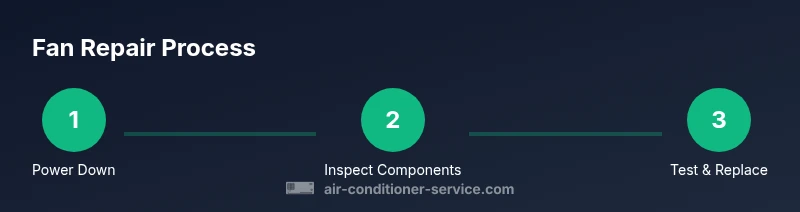
In this guide, you will learn how to safely diagnose and repair common air conditioner fan problems. You'll verify power, inspect blades and motor bearings, replace damaged components, and restore proper airflow. Before you start, turn off the unit at the breaker and thermostat, gather the right tools, and follow the step-by-step process.
Understanding how an air conditioner fan works
Air conditioner fans move refrigerant through the system and help dissipate heat. A fault can arise from a damaged blade, worn bearings, a loose mount, improper wiring, or a failing capacitor. According to Air Conditioner Service, understanding the fan's role is the first step in safe, effective repair. Start by turning off power and ensuring you have a clear work area. The typical fan assembly includes a blower or propeller blade, a motor, a capacitor, and a shroud. When any part misbehaves, you may notice unusual noises, reduced airflow, or increased energy use. A balanced blade spins smoothly; an unbalanced blade produces vibration and fatigue that can damage the motor. Regular inspection during maintenance can prevent failures and extend the life of your AC. Before attempting repairs, check that the plastic or metal fan blades are intact and free of cracks. If damage is present, replace the blade rather than attempting a patchwork fix.
Common symptoms of fan trouble and what they mean
Common symptoms include unusual noises, excessive vibration, reduced airflow, or intermittent cooling. A wobbling blade often signals bent or loose mounting, while a weak motor may struggle to start or maintain speed. Regular checks of the fan blade edge, hub, and mounting screws help distinguish a simple repair from a bigger motor issue. If you're unsure whether the issue is the blade or the motor, start with a blade inspection and a balance test.
Safety first: risks and best practices for DIY repairs
Working on an air conditioner fan involves electrical components and rotating machinery. Always shut off power at the breaker and the thermostat, then confirm the absence of voltage with a non-contact tester. Wear eye protection and gloves, and keep hair and loose clothing secured. Avoid working in wet conditions and never bypass safety features. If you smell burning insulation or see melted wires, stop immediately and seek professional help.
Diagnostic checks you can perform safely at home
Begin with non-invasive checks: inspect the blades for cracks, clean any debris from the wheel and shroud, and verify fan mounting is secure. Use a multimeter to test continuity on the motor windings when power is off, and listen for bearing noise when manually turning the shaft. If you identify a damaged blade or a seized bearing, plan for a replacement.
Replacement parts: how to choose the right blade, capacitor, and bearings
Select replacement blades that match the original fan's size, blade pitch, and mounting pattern. Capacitors should be matched to the motor specifications; if in doubt, remove the old capacitor and check the label. Bearings come in several types and sizes—choose a model compatible with your motor's shaft. When ordering parts, verify compatibility with your unit's make and model.
Maintenance tips to extend fan life and efficiency
Schedule regular visual inspections, clean the blower housing, and ensure the motor area stays dry. Lubricate bearings if the manufacturer allows it, but avoid over-lubricating, which can attract dust. Keep the condenser and fan area free of debris, and replace clogged air filters to reduce strain on the fan motor.
Troubleshooting after a repair and next steps
After reassembly, restore power and run the unit for several minutes while listening for smooth operation. Check for consistent airflow and absence of unusual vibrations. If the fan still rattles or the motor overheats, revisit the mounting or consider replacing the motor or capacitor. If the unit continues to underperform, it may indicate a refrigerant issue or a larger system fault requiring a professional.
When to call a professional
If you are uncomfortable with electrical work, unsure of wiring, or dealing with refrigerant handling, schedule a professional service. A tech can verify electrical safety, motor health, and refrigerant levels, and ensure proper warranty coverage.
Tools & Materials
- Non-contact voltage tester(Test circuits safely before touching wires)
- Insulated screwdriver set(Flat and Phillips sizes for panel screws)
- Nut driver set(Match fastener sizes on the fan assembly)
- Pliers (needle-nose)(Grip blades and terminals securely)
- Multimeter(Check continuity and resistance of windings)
- Replacement fan blade(Only if damaged or cracked)
- Replacement capacitor(Match microfarad rating to motor)
- Lubricant (manufacturer approved)(Some motors require lubrication; verify in manual)
- Electrical tape(Seal connections and label wires)
- Safety glasses and gloves(Personal protective equipment)
- Work light(Ensure visibility in the cabinet)
- Replacement bearings(Only if bearing wear is found)
Steps
Estimated time: 45-90 minutes
- 1
Power down and verify no voltage
Shut off power at the thermostat and the main breaker, wait 5 minutes, and use a voltage tester to confirm the circuit is de-energized.
Tip: Lockout/tagout if available to prevent accidental re-energizing. - 2
Remove access panel and identify components
Carefully remove the panel and note the fan blade, motor, capacitor, and mounting hardware. Take photos to aid reassembly.
Tip: Keep screws organized to avoid mix-ups. - 3
Inspect blades and mounting
Check for cracks, chips, or bent blades and verify the mounting screws are tight. A damaged blade must be replaced.
Tip: Never reuse a damaged blade; it can shatter. - 4
Test motor and capacitor safely
Discharge the capacitor, then test motor windings with a multimeter and inspect the capacitor label for the correct rating.
Tip: If unsure about tolerances, skip the test and consult a pro. - 5
Replace faulty parts
Install a new blade if damaged, replace the capacitor or bearings as needed, and reconnect wires according to the photos taken earlier.
Tip: Double-check polarity and orientation before powering up. - 6
Reassemble and test
Reinstall the panel, restore power, and run the unit. Listen for smooth operation and monitor for unusual vibrations.
Tip: If vibrations persist, reseat the fan or adjust mounting.
Common Questions
What are common signs my AC fan needs repair?
Unusual noises, vibration, reduced airflow, and intermittent cooling are common indicators. Inspect blades and mounting for damage.
Look for grinding noises, wobbling blades, or weak airflow as signs the fan needs repair.
Can I replace a fan blade myself?
Yes, if you disconnect power and follow safety steps. Ensure the blade matches the model and mounting style.
Yes, with the unit powered down and using the right tools, you can replace a damaged blade.
Should I discharge the capacitor before working on the fan?
Capacitors hold a charge even when the power is off. Discharge carefully and avoid shorting the terminals.
Capacitors can shock you; make sure you discharge them before touching wires.
How do I know if the motor is the problem?
If blades are intact and the motor makes noise or struggles to start, the motor or capacitor may be faulty.
If the blade is fine but the unit vibrates or stalls, the motor or capacitor could be the issue.
What parts might I need to replace?
Blades, capacitors, bearings, and motor mounts are common replacement parts in fan repairs.
Common parts to check are the blade, capacitor, and motor bearings.
When should I call a professional?
For electrical work, refrigerant handling, or if the unit remains under warranty, hire a pro.
If you’re unsure about electrical safety or refrigerant handling, call a pro.
Watch Video
The Essentials
- Power down before inspection
- Inspect blades and mounts for damage
- Test motor and capacitor safely
- Reassemble and test for smooth operation
- Call a pro for complex electrical or refrigerant work