Why Is My Air Conditioner Making Loud Noise? A Practical Troubleshooting Guide
Urgent troubleshooting guide to diagnose and fix loud noises from your air conditioner. Learn common causes, safety steps, and when to call a pro for homeowners.


Most often a loud AC is caused by a loose blower wheel or a failing capacitor that vibrates during operation. Quick checks: (1) switch off power at the breaker and inspect the indoor blower housing for loose screws or debris; (2) inspect the outdoor unit for loose panels or visible debris; (3) if you hear grinding or clanking, stop and call a pro.
Why a Loud AC Happens
When a central or window AC starts emitting unexpected sounds, homeowners want clear answers fast. If you're asking why is air conditioner making loud noise, you're not alone. In most homes, loud sounds point to mechanical wear, loose components, or blocked airflow. The most frequent culprits are a loose blower wheel inside the air handler, a dried or failing capacitor in the outdoor unit, or debris that has balanced against moving parts. Less common but serious noises come from a warped compressor or a worn motor bearing. Differentiating between these requires listening for the sound profile: a rattling, a metallic clang, a high-pitched squeal, or a grinding grind. Noise that changes with fan speed or indoor temperature can hint at electrical issues, while rattling near the outdoor unit often means loose panels or mounting hardware. Treat any unfamiliar or persistent noise as a warning sign and shut the system down if you smell burning or notice overheating. According to Air Conditioner Service, addressing the simplest causes first saves time and money and reduces the risk of needless part replacements.
Common noise profiles and what they mean
Noisy AC units don’t all sound the same. A loose panel or debris in the outdoor coil produces a rattling or banging; a squeal often signals worn belts or a failing capacitor; a grinding or growling sound can point to bearing wear or a failing motor. A hissing or buzzing might indicate refrigerant issues or loose electrical connections. Each sound has a likely culprit, but safety matters: never put your hand inside the cabinet while power is connected. If you can’t identify the source safely, pause and call a professional.
Quick checks you can do safely
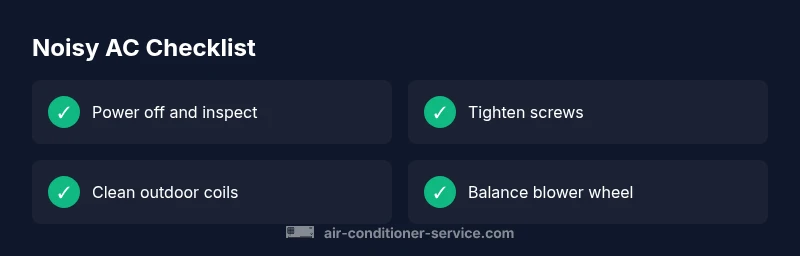
Before you dive into more involved troubleshooting, perform these safe checks: (a) turn off power at the breaker and verify the unit is de-energized; (b) inspect accessible panels for loose screws and tighten them; (c) remove visible debris from the outdoor unit with a brush (do not use high pressure or metal tools); (d) ensure all vents and the indoor filter are not blocked and the blower housing is clean. If you notice burning smells, smoke, or heat, stop immediately and call a qualified technician. These steps reduce risk and help you identify whether a simple tightening or cleaning is enough.
Diagnostic flow: turning sounds into causes
Use the sound you hear as a map to a likely cause. A rattling noise that changes with fan speed suggests loose panels or debris; a high-pitched squeal hints at a worn belt or capacitor; a grinding sound points to bearing or motor issues. Start with the simplest checks (power off, tighten screws, clean debris), then test again. If the noise persists after basic steps, escalate to more involved checks or professional testing. The goal is to isolate the symptom, not to replace components blindly.
Step-by-step fixes for the most common cause
The most common fix for a loud AC is tightening or replacing a loose blower wheel and balancing the blower assembly. This involves safely removing power, accessing the blower housing, inspecting the wheel for wobble or damage, and reseating or replacing it as needed. After reassembling, run the system at low speed to confirm the fix. If you hear continued noise, the next likely issue is a failing capacitor or motor bearing that requires professional service.
Prevention tips and maintenance to avoid future noise
Regular maintenance reduces noise and extends equipment life. Schedule seasonal inspections, replace air filters every 1-3 months, clean the outdoor condenser annually, and keep vegetation away from the outdoor unit. Tighten screws and mounting hardware during each service, lubricate moving parts if your model requires it, and monitor for new sounds after any repair. Early detection prevents costly breakdowns.
When to call a professional
If the noise continues after basic checks, or you notice signs of electrical issues, refrigerant leaks, or burning smells, contact a licensed HVAC technician. Loud noises may indicate dangerous conditions that require calibrated tools and parts. A pro can diagnose bearing wear, capacitor health, and refrigerant integrity and perform safe component replacement.
Steps
Estimated time: 30-45 minutes
- 1
Power down and verify de-energization
Switch off the thermostat and cut power at the main breaker. Confirm there is no voltage before touching any internal parts.
Tip: Use a non-contact voltage tester for a quick check. - 2
Access the blower housing
Remove access panels on the indoor air handler to locate the blower wheel. Keep track of screws and set them aside.
Tip: Take photos of wiring for reassembly. - 3
Inspect the blower wheel
Look for cracks, bends, and loose mounting. If the wheel wobbles, it may be loose or damaged and needs replacement.
Tip: Do not run the unit with a damaged wheel. - 4
Tighten or replace components
Tighten mounting screws evenly and replace any damaged parts. Rebalance the wheel if needed.
Tip: Use manufacturer-approved parts. - 5
Reassemble and test
Reconnect panels, restore power, and run the unit at low fan speed to listen for changes in noise.
Tip: Start with low speed to avoid strain. - 6
If noise persists, escalate
If you still hear grinding or the wheel won’t stay balanced, stop and call a professional.
Tip: Persistent noise may indicate bearing wear or capacitor failure.
Diagnosis: Loud banging or grinding noise from the indoor air handler or outdoor condenser
Possible Causes
- highLoose or damaged blower wheel
- highWorn or failing capacitor causing electrical noise
- mediumDebris or loose mounting hardware in the outdoor unit
Fixes
- easyPower off at the breaker and tighten loose screws or panels; clean debris.
- mediumInspect the blower wheel for wobble or damage; replace if cracked or bent; balance properly.
- easyTest or replace the capacitor with proper tools or by a pro.
Common Questions
What does a rattling sound from an AC usually mean?
Rattling often indicates loose panels or debris in the outdoor coil. It can also signal mounting hardware loosening. Safety first: turn off power before inspection.
A rattling noise usually means loose panels or debris. Turn off power and inspect safely.
Is a loud AC safe to operate?
No. If you hear grinding, burning smells, or see smoke, stop the unit and call a professional. Continuous operation can cause damage.
No, stop the unit and call a professional if you hear grinding or smell burning.
Can I lubricate the blower or bearings myself?
Many modern systems are sealed and do not require lubrication by homeowners. If lubrication is needed, refer to the manufacturer’s instructions or have a pro handle it.
Lubrication isn’t always user-serviceable; check the manual or call a pro.
What sounds indicate a capacitor failure?
A high-pitched squeal or buzzing that changes with the compressor or fan speed can indicate a failing capacitor. Have it tested by an HVAC tech.
A rising squeal or buzzing that shifts with speed may be a capacitor issue.
When should I replace a noisy blower wheel?
If the wheel is cracked, bent, or severely unbalanced, replacement is the safest option. Do not run the unit with a damaged wheel.
Replace the blower wheel if it's cracked or unbalanced.
Watch Video
The Essentials
- Identify the sound first and map to a likely cause
- Always power off before inspecting hardware
- Tighten or replace loose components first
- Call a pro if grinding/burning smells appear