How to Use Air Conditioner: A Practical Guide for Homeowners
Master the basics and practical steps to use your air conditioner efficiently—safety, modes, maintenance, and energy-saving tips for homeowners and renters in 2026.


To use an air conditioner effectively, start with safety checks, then select the right mode, temperature, and fan settings. Understand your controls, set a comfortable target, and use energy-saving features like auto mode and a programmable schedule. Keep filters clean, vents clear, and schedule routine maintenance to maximize cooling and minimize costs. Air Conditioner Service emphasizes safety first and thoughtful controls for steady comfort.
Understanding the Basics of Your Air Conditioner
Knowing how to use air conditioner starts with understanding the system. When homeowners ask how to use air conditioner effectively, they want practical steps that work in real homes. This guide covers core concepts, including what a thermostat does, how the compressor and fans interact, and how to read modes and settings. By learning these basics, you can optimize cooling while saving energy and extending the unit’s life. Air Conditioner Service emphasizes starting with safety and clarity about what each control does. The basics also include recognizing the difference between a central split-system and simpler units like window or portable models, so you can apply tips that fit your setup.
Safety First: Before You Start
Always start with safety: turn off power at the breaker before inspecting equipment, keep hands away from moving parts, and maintain clear space around outdoor units (at least 2 feet on all sides). If you smell burning, hear buzzing, or notice flickering lights, stop and contact a licensed technician. In 2026, routine safety checks reduce the risk of shocks or short circuits. Air Conditioner Service recommends verifying the outdoor condenser is free of debris and ensuring condensate drains aren’t blocked. Safe handling protects you and your equipment, and a quick safety check now can prevent expensive repairs later.
How to Operate the Controls: Modes, Temperature, Fan
Most air conditioners offer a few core modes: Cool, Auto, Dry, and Fan, with Heat on some heat-pump systems. Start by setting the mode that matches your goal, then adjust the temperature to a comfortable range and choose a fan speed. If your unit supports Auto, use it to let the system adjust compressor and fan activity automatically. The exact layout varies by model, so consult the owner’s manual. For consistent comfort, avoid large temperature swings and remember that quieter operation often comes from lower fan speeds combined with appropriate mode choices. This section also highlights how Air Conditioner Service recommends using programmable schedules to match occupancy.
Step-by-Step: Daily Use for Cooling Comfort
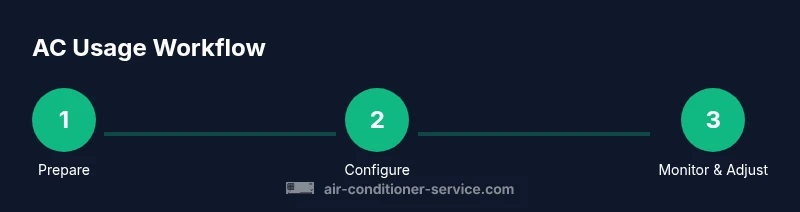
This section provides a practical workflow you can follow every day:
- Power on and verify the display is active. 2. Select Cool or Auto mode and confirm the thermostat setting feels comfortable. 3. Adjust the fan to minimize drafts while maintaining even room cooling. 4. Check that return air is not blocked and vents are open. 5. Enable energy-saving features like Auto mode and a schedule where possible. 6. Inspect the filter and clean or replace if dirty. 7. Ensure doors and windows are closed to prevent heat gain. 8. Monitor room temperature and make small adjustments as needed. For reference, Air Conditioner Service recommends keeping a simple log of settings to spot patterns.
Energy Saving Strategies for Home Cooling
Efficient cooling comes from thoughtful operation and building envelope awareness. Start by programming a schedule so the unit runs when you’re home and active, or when cooling is most needed. Use Auto mode to reduce unnecessary compressor cycling and set the temperature to prevent overcooling. Improve efficiency with ceiling or desk fans that circulate air, close blinds or drapes to reduce heat gain, and seal leaks around windows and doors. Regular filter maintenance and condenser cleanliness also play a big role in performance. Air Conditioner Service emphasizes combining behavioral strategies with proper equipment settings for best results.
Dealing with Common Cooling Problems
Not cooling as well as expected is usually caused by avoidable issues like a dirty air filter, blocked outdoor condenser, or uncalibrated thermostat. Start with a quick filter check and cleaning, then inspect outdoor coils for debris and ensure there is clear airflow around the unit. If airflow seems normal but rooms remain warm, verify thermostat accuracy and reset it if needed. Leaks, refrigerant problems, or electrical faults require a licensed technician. In many cases, a quick maintenance check can restore efficiency, a point reinforced by Air Conditioner Service when diagnosing common faults.
Seasonal Prep: Spring and Fall Maintenance
Seasonal prep helps prevent surprise outages during peak heat periods. Begin with a filter change and a light cleaning of coils. Check window seals or ductwork for leaks, and replace damaged weatherstripping where needed. Test the thermostat and recalibrate it if readings feel off. A simple inspection of the condensate drain ensures no backups occur. Air Conditioner Service notes that scheduling a professional tune-up once a year can catch wear before it matters and extend system life.
For Renters: How to Use Window or Portable Units Effectively
Window and portable air conditioners offer flexible cooling but require careful placement and venting. Ensure the unit is level and securely installed in a window or doorway, with proper venting to the outside and a redirect of warm air away from living spaces. Keep the area around the unit clear, and seal gaps to prevent leakage. Use a tray or drain pan to handle condensation, and avoid running near sources of heat like ovens or incandescent lighting. These practices help maximize efficiency without permanent installation.
Smart Integration: Thermostats and Zoning for Better Comfort
Smart thermostats provide eyes on your cooling beyond the dial, offering scheduling, learning, and remote control. Use zoning to direct cooling to areas that need it most, and set different targets for different rooms if your system supports it. Integrating with home automation can boost comfort and energy savings by aligning cooling with occupancy and weather. Air Conditioner Service highlights that smart controls can significantly reduce unnecessary cooling and help you understand consumption trends.
Tools & Materials
- Screwdriver set (Phillips and flathead)(For panel access and filter changes)
- Multimeter or voltmeter(For basic electrical checks; not required for basic operation)
- Owner's manual(Keep for model-specific settings)
- Replacement air filter(Choose the correct size for your unit)
- Vacuum with brush attachment(Useful for ducts and coils, not essential)
- Gloves(Protect hands during maintenance)
- Measuring tape(Useful for checking clearances)
- Notebook and pen(Record settings and maintenance dates)
- Flashlight(Inspect dim or hidden areas)
Steps
Estimated time: 15-25 minutes
- 1
Power down and inspect safety area
Before touching any components, switch off the breaker and unplug the unit if accessible. Check that the surrounding area is clear of debris and that no hoses or cables are damaged. This prevents shocks or accidental startups during inspection.
Tip: If you smell burning or see damaged wiring, stop and call a licensed technician. - 2
Test the unit’s basic power and display
Reconnect power, turn on the thermostat, and ensure the display lights up normally. Listen for any unusual noises at startup. Confirm the control panel responds to button presses and that mode indicators light up.
Tip: If the display is dim or unresponsive, check the circuit breaker or fuses. - 3
Set mode, temperature, and fan
Choose the appropriate mode (Cool or Auto for cooling needs). Set a comfortable temperature and adjust the fan to achieve even airflow. Avoid drastic temperature changes to prevent rapid cycling.
Tip: Auto mode often provides the best balance of comfort and efficiency. - 4
Enable energy-saving features
Use programmable schedules if available and minimize the use of high fan speeds when cooling is not necessary. Pair with a ceiling or desk fan to circulate air.
Tip: Program daily schedules to match occupancy patterns for best savings. - 5
Check and replace the air filter
Inspect the filter and replace if dirty. A clogged filter reduces airflow and efficiency. Record the date of replacement for maintenance tracking.
Tip: Most households benefit from monthly checks during peak cooling season. - 6
Inspect outdoor unit and condensate drain
Ensure the outdoor condenser is free of leaves and debris, and that the condensate drain is clear. Poor airflow or backups can cause overheating and reduced cooling.
Tip: Never block the outdoor unit with plants or furniture. - 7
Calibrate thermostat if readings feel off
Compare actual room temperature with the thermostat display. If there’s a mismatch, recalibrate according to the manual or consult a technician.
Tip: A misread thermostat can waste energy by overcooling or undercooling. - 8
Document and schedule maintenance
Keep a simple log of settings, maintenance dates, and any issues. Schedule annual professional service to keep the system reliable.
Tip: Set reminders for filter changes and annual tune-ups.
Common Questions
What is the best temperature setting for comfort and energy efficiency?
There isn’t a universal best temperature; set a comfortable level and use moderate differences. Small adjustments save energy and reduce wear on the system.
There isn’t a universal best temperature; start with comfort and adjust gradually to save energy.
Why is my air conditioner not cooling as well as it used to?
Common causes include a dirty filter, blocked outdoor coil, thermostat calibration issues, or refrigerant leaks. Begin with airflow checks and filter replacement, then assess thermostat accuracy.
Common causes are dirty filters, blocked coils, or thermostat issues. Check filters first.
Should I run the AC on cool or auto mode?
Auto mode lets the unit adjust compressor and fan speed for consistent comfort and typically uses less energy than manual settings.
Auto mode usually saves energy and keeps you comfortable with automatic adjustments.
How often should I clean or replace the air filter?
Check monthly and replace every 1-3 months depending on usage, indoor air quality, and presence of pets or dust.
Check monthly and replace as needed, typically every 1-3 months.
Is it safe to use a window unit during rain or cold weather?
Window units are designed for typical conditions; avoid running in heavy rain or freezing temperatures to prevent water intrusion and component stress.
Avoid running in heavy rain or very cold weather to prevent damage.
Can I DIY refrigerant or wiring problems?
No. Refrigerant handling and major electrical work require licensed technicians due to safety and legal requirements.
Refrigerant and wiring work should be handled by a licensed professional.
Watch Video
The Essentials
- Always start with safety checks and power off.
- Choose appropriate modes and avoid large temperature swings.
- Regular filter maintenance boosts efficiency.
- Program schedules to align cooling with occupancy.
- Consult a professional for refrigerant or electrical issues.