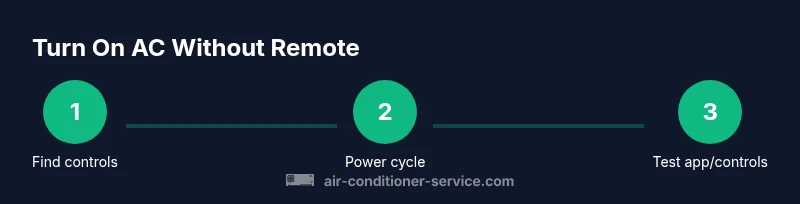
How to Turn On an Air Conditioner Without a Remote
Learn practical, safe methods to power up your air conditioner without the remote. This step-by-step guide covers front-panel controls, power cycling, app alternatives, and safety tips to restore cooling quickly for homeowners and renters.


By using the front panel, power switch, or a quick circuit reset, you can turn on many air conditioners without the remote. Start with the indoor control panel if available, then try a safe power cycle or the unit’s reset sequence. This guide shows practical, safe steps to restore cooling quickly.
Why turning on an AC without a remote matters
In many homes, the remote is easy to misplace, batteries go dead, or the panel is hard to reach. According to Air Conditioner Service, most common issues preventing remote operation are power-related rather than device failure. The Air Conditioner Service team found that many units still power up and cool when users access the built-in controls. This reality makes it important to know safe, effective ways to start cooling without a remote. If you can locate the indoor control panel, the thermostat inside the unit, or a service disconnect near the air handler, you’ll have viable options. Remember to work calmly and methodically, and avoid disturbing any wiring or covers if you’re unsure of what you’re doing. If you hear unusual noises, smells, or smoke, cut power at the main breaker and seek professional help immediately to avoid injury or damage.
Many modern systems place a physical power or mode button on the front panel, sometimes behind a small door or flap. If you can access that switch, a brief press can wake the unit and start cooling in a basic mode. If your model relies on a thermostat or external panel, you may still have a way to power on using the panel and the correct sequence. This section focuses on safe, practical methods you can try without risking electrical shock or voiding warranties.
Control options you might have access to
Not every air conditioner will wake up with the same steps, but most units share a few common control options. First, check the indoor unit for a front panel button or a small display that indicates power status. Some models include a manual power switch on the side or bottom edge of the unit, which can be easier to reach than the remote. If you can locate a service disconnect near the unit or a wall-mounted thermostat, those controls may offer a backup means to start cooling. For units that are part of a broader smart home setup, app control can sometimes turn the system on or wake it from standby even when the remote is missing. Finally, if the outdoor unit has an access panel and a reset option, you may be able to reinitiate power through the outdoor control as a last resort. Always consult your model’s manual for exact steps and safety precautions. Air Conditioner Service recommends verifying that the unit is powered from the correct circuit and that the thermostat is not set to off or a very high temperature, which would prevent cooling.
When you’re unsure about which controls are available on your specific model, start with the indoor front panel and look for any labeled Power, Mode, or Fan buttons. If the panel has cover doors, open them carefully to expose the controls, but do not pry or force anything. If you’re still stuck, refer to the manual or contact the manufacturer’s customer support. The key is to identify accessible controls first and then proceed with the simplest option that can safely wake the unit.
Front panel operation basics
The front panel is typically the quickest way to wake a system without a remote. Look for a dedicated Power button or a combined Power/Mode button. If the button exists, press it firmly for about 1–2 seconds to wake the system. Some models require a short press to wake and a second press to select a mode. If you don’t hear any response, inspect the indicator lights on the display: a steady light often indicates standby, while blinking patterns can signal a fault code you can reference in your manual. Make sure the room temperature is set to a reasonable level; a thermostat set too high may prevent the unit from turning on. If the manual indicates a default factory setting, you can try returning the unit to that state to reset behavior. Finally, do not jam fingers into moving parts or forced openings; keeping hands clear reduces injury risk. Air Conditioner Service notes that a calm, methodical approach yields safer, faster results.
Power cycling safely when the remote is unavailable
If the front panel doesn’t turn the unit on, a safe power cycle can help. Start by turning off the unit at the main breaker or service disconnect, wait 60 seconds, then restore power. This pause clears simple electronic stalls and can wake the thermostat logic. After power is restored, return to the front panel and press the Power button again. If the device has a dedicated reset sequence listed in the manual, follow it exactly. Do not repeatedly flip power on and off in rapid succession, as this can stress electrical components. If lights on the unit blink in a pattern, consult the user guide to interpret the fault codes. Air Conditioner Service emphasizes that a single, deliberate reset is more reliable than repeated toggling.
Using the outdoor unit and service panels with caution
In some systems, you may access the outdoor unit’s service panel or disconnect to reset power. If you’re not comfortable with basic electrical work, skip this step and seek professional help. If you proceed, ensure the outdoor unit is powered down and the area around it is dry. Do not touch exposed wiring, and never operate the unit with covers removed beyond manufacturer guidance. A safe approach is to turn off the main power, wait a moment, and use the panel’s reset or service switch only if explicitly described in the manual. The Air Conditioner Service team recommends avoiding any improvisation that could void warranties or create safety hazards.
When to use apps or smart home controls
Many modern ACs offer Wi-Fi or Bluetooth control via an app. If your model supports it, you can often turn the unit on or wake it from standby from your phone or a compatible smart home hub. This option can provide a backup when the remote is missing, but it requires that the AC be connected to your network and that you have the correct credentials. If you haven’t set this up before, consult the manual or manufacturer’s support resources to ensure your model supports app control and to follow the proper pairing steps. Air Conditioner Service notes that apps can simplify ongoing maintenance, but they won’t replace methodical power-on checks if you cannot access the app.
Common mistakes that can prevent turning on
Common pitfalls include attempting to power on without confirming the unit has power, misreading the front panel, or ignoring safety warnings. Never bypass protective covers or tamper with wiring to force a startup. Avoid leaning on the unit while you work around it, and keep liquids away from electrical components. If you notice odd smells, heat, or smoke, stop immediately and contact a professional. Finally, avoid treating the thermostat like a universal power switch; settings at the thermostat could keep the system in a non-operational state. By understanding the available controls and safety steps, you’ll improve your chances of a quick restore without damage.
Tools & Materials
- AC unit manual(Keep model-specific instructions handy)
- Flashlight(Optional for dim access areas)
- Voltage tester(Only if you must verify power at a panel (careful handling required))
- Insulated gloves(Wear if you’ll inspect panels with the power on)
Steps
Estimated time: 8-20 minutes
- 1
Locate the indoor control panel
Find the front panel or touch screen on the indoor unit. Look for a Power, Mode, or Fan button and verify the display is active. If there’s a flap or door, open it gently to access the controls.
Tip: Keep the area dry and uncluttered; remove items that might block access. - 2
Check for visible power indicators
Assess whether the unit shows any lights or indicators that it is powered, even if the remote is missing. If there are indicators, proceed to attempt a wake-up sequence.
Tip: If indicators are off, there may be a tripped breaker or a blown fuse. - 3
Press and hold the front panel Power button
Press firmly and hold the Power button for 1–2 seconds to wake the unit. If that button is combined with a Mode option, a quick press may set a default cooling mode.
Tip: Do not force the button; excessive pressure can damage tactile switches. - 4
Power cycle the unit if needed
If there’s no response, switch the disconnect or main breaker off, wait 60 seconds, then restore power. Return to the front panel and retry the Power button.
Tip: A brief pause helps reset the unit's microcontroller. - 5
Try app or thermostat backup
If your model supports it, open the companion app or the wall-mounted thermostat to turn the unit on or wake it from standby.
Tip: Ensure the device is connected to the same network and authenticated. - 6
Verify cooling starts and set preferences
Once the unit powers on, confirm airflow, temperature, and mode. Adjust settings to ensure the desired comfort level is achieved.
Tip: Record any codes shown on the display to reference in the manual or with support. - 7
If unresolved, consult documentation or support
If the unit still won’t turn on, follow manufacturer guidance and consider scheduling service. Avoid DIY repairs beyond basic resets.
Tip: A professional can diagnose a faulty control board or sensor without risk. - 8
Document the sequence for future use
Note which method worked (front panel, app, or breaker reset) so you can repeat a successful approach later.
Tip: Keep this note with your manual for quick reference.
Common Questions
What should I do first if my AC won't turn on without the remote?
Check the indoor front panel for a Power button and confirm the unit is powered. If the panel is unresponsive, inspect the breaker or disconnect and verify the thermostat isn’t set to off.
First check the indoor front panel for a Power button and verify the breaker hasn't tripped.
Is it safe to reset the unit by flipping the breaker?
Yes, if you follow safety guidelines. Turn off the breaker, wait about 60 seconds, and turn it back on. Afterward, try the front panel again and avoid touching other wiring.
Breaker resets can help, but keep safety first and wait a minute before turning it back on.
Can I use a mobile app to turn on the AC without the remote?
If your model supports it, you can wake or control the unit via the official app once it’s connected to your network. Check compatibility and setup instructions in the manual.
If your model supports it, use the official app after you set it up.
What if none of these methods work?
There may be a hardware fault or sensor issue. Schedule professional service to diagnose control boards, relays, or wiring safely.
If nothing works, a professional should check for hardware faults.
How can I avoid this problem in the future?
Keep the remote working while maintaining a spare battery, and familiarize yourself with the unit’s backup controls. Regular maintenance and the right app setup reduce remote reliance.
Keep a spare remote battery and learn the backup controls.
Watch Video
The Essentials
- Identify available controls before forcing power on.
- Prioritize safety and avoid unsafe workarounds.
- Use a simple front-panel action first to wake the unit.
- If app or breaker resets work, document the method for future use.
- Call a professional if the unit remains unresponsive.