How to Reset LG Air Conditioner Without a Remote
Learn safe, step-by-step methods to reset LG air conditioners without a remote. This practical guide covers front-panel resets, power cycling, and troubleshooting tips from Air Conditioner Service.


This guide explains how to reset lg air conditioner without remote by using front-panel controls and safe power cycling. You'll learn practical, model-agnostic steps that work even when the remote is unavailable, plus quick verification checks to confirm cooling or fan functions are restored. Follow these steps to troubleshoot common reset issues confidently.
Understanding LG's reset behavior on non-remote models
According to Air Conditioner Service, LG models vary in their reset behavior when the remote is missing. Some units expose a dedicated Reset option on the indoor front panel, while others rely on a basic power cycle to reinitialize electronics. When the remote is unavailable, your best approach is to start with the least invasive method and observe the unit's indicators (lights, display, beeps) to determine if a reset occurred. If the front panel offers a button labeled Reset or a menu option, use it as the primary reset method before attempting a power cycle. If no reset control is visible, a controlled power interruption at the circuit breaker or unplugging the unit for about a minute can serve as a soft reset. Avoid aggressive disassembly; LG units are designed to be reset without tools in most common fault scenarios.
Alternative methods you can try safely
If the front panel lacks a Reset button, you still have safe alternatives. Begin with a power cycle: switch off the unit at the breaker or unplug for at least 60 seconds, then restore power and test. For some LG systems, you may find a Reset option in the on-unit menu or a short button press combination on the display; refer to your model manual for specifics. Avoid opening sealed compartments or tampering with wiring. While some owners report success by reapplying power after a full cycle, the most reliable method remains the front-panel Reset or a proper power cycle. If your unit responds to basic commands after reset (cooling, fan, auto modes), you’ve likely resolved the fault.
Model considerations: different LG lines and features
LG releases several lines (like ARTCOOL, Multi-V, and others) with varying control schemas. Air Conditioner Service analysis, 2026, notes that some models hide reset within menus, others show a dedicated button, and many share common power-cycle behavior. If your model does not display a Reset label, you’ll want to rely on power cycling and re-testing. Always check the front panel for a reset glyph or an icon resembling a wrench; that indicates a maintenance reset path. If your unit continues to misbehave after a standard reset, it might indicate a sensor fault or capacitor issue that requires professional service.
Step-by-step scenarios by model type
Scenario A: Front-panel Reset button present. Inspect the panel for a Reset label or icon. If you find it, press and hold (or select) the reset option according to the panel instructions, then wait for the display or indicators to confirm a reset. Scenario B: No Reset on panel. Proceed with a controlled power cycle by turning off power at the breaker, waiting 60 seconds, and restoring power. After power restoration, test cooling and fan functions.
Safety considerations and warnings when working with LG units
Always start by powering off the unit to avoid electric shock or damage. Do not pry open sealed compartments or disconnect high-voltage connections unless you are trained. If you must access any internal components, wear protective gear and use a non-metallic tool. If you observe burning smells, buzzing sounds, or the breaker trips repeatedly, stop and call a licensed technician. Air Conditioner Service emphasizes that resets should be used to clear minor faults, not to bypass failed components.
After reset: testing and long-term care
With the unit reset, reconnect power and set the thermostat to a cool setting. Allow a few minutes for the system to stabilize and listen for normal compressor cycles. Verify that the display is functioning, the fan runs, and cooling begins within a reasonable time frame. If problems recur, document the symptoms and model number, then contact support. The Air Conditioner Service team recommends keeping your manual handy and noting any error codes for faster diagnosis.
Tools & Materials
- LG air conditioner user manual (model-specific reset guidance)(Keep it handy for any model-specific steps.)
- Access to a power source (wall outlet or circuit breaker)(Power cycling is the safest first approach.)
- Non-contact voltage tester (optional)(Use if you need to confirm power in a panel safely.)
- Flat-head screwdriver (optional)(Only if panel requires opening; do not force panels.)
Steps
Estimated time: 10-20 minutes
- 1
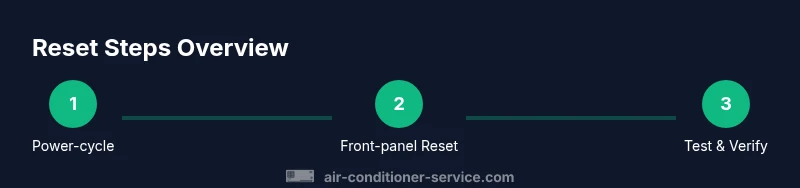
Power-cycle the unit
Turn off the unit at the circuit breaker or unplug from the wall. Leave it disconnected for at least 60 seconds to allow internal capacitors to discharge. Reconnect power and observe if the unit responds normally.
Tip: This is often the simplest fix and should be your first action. - 2
Check the front panel for a Reset option
Inspect the indoor unit's front panel and display for a Reset button or a menu option labeled Reset. If you find one, use it according to the panel's instructions.
Tip: If a Reset option exists, it usually provides a quick reinitialization without power cycling. - 3
Perform a front-panel reset if available
If the panel has a dedicated Reset button, press and hold it for 3–5 seconds or select the reset option in the menu. Wait for confirmation signals (LED, beep, or display reset).
Tip: Follow the exact timing from your manual; timing varies by model. - 4
Power-cycle again if there was no Reset
If no Reset option exists, perform another power cycle after Step 3. Ensure the unit is fully disconnected before reconnecting power.
Tip: Some units require a full cycle after minor reset attempts. - 5
Test cooling and fan functions
After power restoration, set the thermostat to Cool and a comfortable temperature. Check that the compressor starts after a short delay and the indoor fan operates normally.
Tip: If cooling doesn’t start, re-check power and settings before escalating. - 6
Check for error codes
Look at the display or indicator lights for any error codes or blinking patterns. Refer to the manual to interpret codes and decide if service is needed.
Tip: Document any codes you see for faster support. - 7
If the unit remains unresponsive
Power down again and contact support or a licensed technician. Refrain from disassembly beyond basic checks.
Tip: Persistent non-response often points to a hardware fault rather than a reset issue. - 8
Document actions for future reference
Record model number, firmware version (if available), and the exact steps you performed. This helps when seeking professional help later.
Tip: Keep a simple log for quick troubleshooting in the future.
Common Questions
Can I reset my LG air conditioner without a remote?
Yes. Start with a safe power cycle and, if available, use any Reset option on the front panel. This often resolves minor faults without the need for a remote.
Yes. Start with a safe power cycle and use any Reset option on the front panel if available.
What should I do if there is no Reset option on the front panel?
Perform a power cycle by disconnecting power for about 60 seconds, then reconnect and test. If the unit still won’t reset, consult the manual or contact support.
If there’s no Reset option, power cycle for about 60 seconds and test. If it still fails, check the manual or contact support.
Will resetting erase my schedules or settings?
Most resets do not erase user schedules, but certain advanced menus may require reconfiguring settings after a reset. Check the display and any memory indicators.
Most resets don’t erase schedules, but some settings might need reconfiguring afterward.
Is it safe to reset LG units repeatedly?
Repeated resets aren’t generally harmful, but persistent faults after multiple resets indicate a hardware issue that requires professional inspection.
Repeated resets aren’t usually harmful, but if faults keep reappearing, get professional help.
When should I contact LG support?
If the unit remains nonresponsive after trying front-panel resets and power cycles, or if you notice error codes or unusual behavior, contact LG support or a licensed technician.
If it stays nonresponsive after resets and power cycles, contact LG support or a licensed technician.
Watch Video
The Essentials
- Power-cycle first—often clears faults without tools.
- Use front-panel reset options if available on your LG model.
- Model variations affect where reset is found and how it should be used.
- If problems persist, contact Air Conditioner Service for guidance.
- Document model details and steps for faster future troubleshooting.