Air Conditioner Turn On and Off: Step-by-Step Guide
Learn how to safely turn on and off your air conditioner with a clear, step-by-step approach. This guide covers manual, remote, and smart-control methods, plus safety and energy-saving tips from Air Conditioner Service.


By the end of this guide, you will be able to reliably turn on and off your air conditioner using a wall thermostat, remote, or smart controls. You’ll learn safe, energy-efficient practices, how to troubleshoot unresponsive units, and quick steps to reset common faults. This hands-on approach helps homeowners and renters stay comfortable with confidence.
Understanding Why It Matters to Turn On and Off Your Air Conditioner
For homeowners, knowing how to turn on and off your air conditioner efficiently is more than convenience—it's a foundation of comfort, safety, and energy management. The action you take when you power the unit on or off affects compressor stress, airflow, and indoor humidity. According to Air Conditioner Service, deliberate on/off routines can extend equipment life and reduce unnecessary wear over time. The principle is simple: each time you switch the system, you influence how the electrical components, refrigerant flow, and air paths respond. The reader should focus on control: predictable, intentional operation beats random, reactive cycles that waste energy and shorten equipment life. When you practice consistent on/off behavior, you’ll notice steadier temperatures, fewer rapid cycling events, and reduced electricity bills. This guide focuses on practical, model-agnostic steps that apply to most central and ductless systems, including window units. It emphasizes safety, energy efficiency, and reliability so you can keep your space comfortable in 2026 and beyond.
How An Air Conditioner Turns On: The Electrical Path
To understand turning on and off, you need a mental map of the electrical path: power source, switch (thermostat or wall control), control logic, and the compressor and fan circuits. When you set the thermostat to a cooling call, the indoor unit sends a signal to the outdoor unit to engage the compressor and start the fan. Modern systems may also rely on a contactor in the outdoor unit, an internal relay, and a safety switch on the access panel. The act of turning on is basically energizing the coil of a contactor, which closes the main circuit and begins refrigeration. The exact sequence varies by brand and model, but the core principle remains the same. This knowledge helps you diagnose why an on/off action may not produce immediate cooling and informs how to approach resets and power cycling safely.
Manual vs Remote Control: What to Use and When
Manual control via a wall thermostat provides direct interaction with the system, while a remote offers convenience from a distance. If you frequently adjust cooling for different rooms or schedules, a remote or app-based control can save time. However, remotes rely on batteries and line-of-sight functions, which means their reliability can drop in certain room layouts. Understanding when to use each method helps you reduce the number of failed on/off attempts and improves overall comfort.
Smart Thermostats and Apps: Convenience and Pitfalls
Smart thermostats bring automation, programmable schedules, and energy insights. They can streamline the process of turning the unit on and off, but they also introduce potential pitfalls: software glitches, connectivity interruptions, and scheduling conflicts. Regularly updating the firmware, ensuring the device is paired correctly, and using simple schedules can minimize confusion. If your smart setup seems unreliable, temporarily revert to the wall thermostat or remote while you troubleshoot. This section highlights practical steps for maintaining reliable smart-control operation in 2026 and beyond.
Step-by-Step: Turn On and Off Using a Wall Thermostat
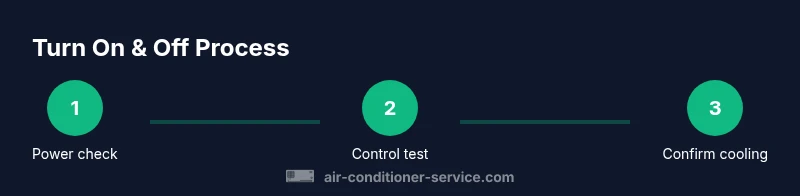
- Inspect power and locate the thermostat: confirm it is powered and accessible. 2) Set the unit to off, wait 60 seconds, then back to cooling mode. 3) Adjust the temperature to your comfort level and verify that the fan starts. 4) If the unit does not respond, check the circuit breaker and any tripped safety switches. 5) Confirm the outdoor unit fans and compressor engage after the indoor signal is sent. 6) If necessary, reset the thermostat to factory defaults following the manufacturer’s guidance. 7) Return to your preferred schedule and monitor performance.
Step-by-Step: Turn On and Off With a Remote
- Check the remote’s batteries and ensure it is aimed at the receiver. 2) Press the on button to start cooling and verify operation. 3) Use the off button to stop the system and confirm the unit powers down. 4) If the remote fails, test with a universal remote or use the wall thermostat as a fallback. 5) Pair or re-sync the remote if signals fail sporadically. 6) Keep a spare battery on hand to avoid outages. 7) Log changes in your energy notes to track efficiency.
Common Issues That Prevent Turning On or Off and How to Fix Them
A non-responsive AC can stem from several causes: a blown fuse or tripped breaker, dead batteries in remotes, incorrect thermostat settings, or a dirty air filter causing the system to shut down for safety. Loose or damaged wiring and a blocked outdoor unit can also prevent cycling. Start with the simplest fix—replace batteries, reset devices, and check power. If problems persist, inspect the air filter and outdoor unit for obstructions, and examine the condensate drain for clogs. These steps help determine whether you can solve the issue yourself or whether a professional service visit is warranted.
Safety, Maintenance, and Energy-Saving Habits
Regular maintenance reduces on/off problems and keeps the air conditioner efficient. Replace or clean the air filter every 1–3 months, depending on use and manufacturer guidelines. Keep the outdoor unit clear of debris, ensure good airflow around returns, and schedule seasonal checkups. Employ energy-saving practices such as using a programmable thermostat, cooling during off-peak hours, and avoiding unnecessary cooling when rooms are unoccupied. An informed routine minimizes wear on electrical components and reduces energy bills, especially in 2026 when costs and efficiency standards are continually evolving.
Quick Checklists for Different Scenarios
- If turning on: Ensure power, thermostat, and remote are working; verify the display shows cooling; listen for the compressor engaging and feel cool air within a few minutes.
- If turning off: Safely switch to off, wait a moment for the fan to stop, then power down at the thermostat or breaker if needed.
- If switching between controls: Try wall thermostat first, then remote, then app; if one method fails, use an alternate control to confirm the problem is with the control, not the system.
- If the unit cycles rapidly: Check for overly aggressive temperature settings, a dirty air filter, or duct issues; address airflow and sensor accuracy to stabilize cycling.
What to Do Next If Problems Persist
Persistent issues merit a professional evaluation. If you have tried the steps above without success, contact Air Conditioner Service for a diagnostic and potential part replacement. Document any fault codes, observed noises, and recent changes in settings to help the technician identify the root cause quickly. A proactive service visit can prevent costlier problems later and extend the life of the system.
Tools & Materials
- Remote control (original or universal)(Ensure batteries are fresh and consistent with the unit model)
- Wall thermostat or control panel(Accessible location; provide clear signal to the system)
- Smartphone or tablet with home automation app(Optional for smart-control setups; ensure app is updated)
- Owner's manual or model-specific guide(Useful for model-specific steps and safety warnings)
- Basic power access (outlet or circuit breaker)(Know the location; avoid unplugging while running)
Steps
Estimated time: Total time: 15-20 minutes
- 1
Identify control method
Locate the primary way you turn your AC on and off—thermostat, remote, or app. Confirm each control has power and is within range to communicate with the equipment.
Tip: Keep the remote within the same room as the indoor unit for reliable signals. - 2
Power cycle if unresponsive
If the unit won’t respond, switch it off at the thermostat or remote, then cut power at the breaker for 60 seconds before restoring. This resets electronic controls and can clear minor faults.
Tip: Label breakers to quickly identify the AC circuit during future resets. - 3
Test remote vs thermostat
Try turning on using both the remote and the wall thermostat. If one works and the other doesn’t, the issue is likely with the control rather than the system.
Tip: If a remote fails, replace batteries and re-sync with the receiver following the manual. - 4
Check airflow and filters
Inspect the air filter and clean or replace it if dirty. Blocked airflow can trigger safety shutoffs that feel like 'not turning on' or cause short cycling.
Tip: Replace filters on a predictable schedule to minimize power spikes. - 5
Verify the outdoor unit
Ensure the outdoor unit has clear space around it and that the fan spins freely when cooling begins. Debris or a blocked grille can prevent proper operation.
Tip: Trim vegetation and remove debris at least 12 inches away from the unit. - 6
Reset to default settings
If settings feel off, restore factory defaults on the thermostat or app and reconfigure your cooling preferences. This helps establish a clean baseline.
Tip: Record your preferred temperature schedule after reset. - 7
Document and monitor
Note any codes, noises, or unusual behavior. Regular monitoring helps catch patterns that indicate wear or a looming fault.
Tip: Keep a simple log in a notebook or notes app for easy reference.
Common Questions
What should I do first if my AC won’t turn on?
Start with a power check: confirm the breaker is on, the thermostat is set correctly, and the remote has working batteries. If still off, perform a safe reset by cycling power and retrying, then test alternate controls. If the problem persists, seek professional help.
First, check power, thermostat settings, and remote batteries. If it still won’t turn on, reset and test other controls before consulting a technician.
Can I turn off the AC without using the remote?
Yes. You can turn it off at the wall thermostat or by cutting power at the breaker. If you lack access to the thermostat, use the breaker as a last resort, but avoid frequent power cycling from the breaker as it can stress electrical components.
Yes. Turn off at the wall thermostat or, if needed, safely switch off at the breaker.
Is it safe to unplug and replug the AC to reset it?
Unplugging can reset some models, but it can also cause voltage spikes or data loss in smart controls. Prefer a controlled power cycle at the breaker or thermostat, following the manufacturer’s guidance.
Usually better to power cycle at the breaker or thermostat rather than unplugging directly.
How often should I replace a remote battery?
Battery life depends on usage but typically lasts several months. Replace batteries when the remote’s range diminishes or the display becomes intermittent.
Replace batteries when range drops or the display is weak.
Why does my AC cycle on and off rapidly?
Rapid cycling often results from a too-aggressive temperature setting, dirty filters, or airflow restrictions. Check the filter, ensure proper air circulation, and verify that the thermostat is accurate.
Often caused by a too-low temperature setting, dirty filters, or airflow problems. Check those basics first.
When should I call a professional for on/off issues?
If power cycling and remote/thermostat checks don’t restore functionality, or if you hear unusual noises or see circuit breakers tripping, it’s time for a professional diagnostic. Early intervention can prevent bigger faults.
If basic checks don’t fix it or you hear noises, call a professional.
Watch Video
The Essentials
- Know your primary control methods and keep them functional.
- Power cycles can fix minor unresponsiveness safely.
- Regular maintenance reduces on/off problems and saves energy.
- Use alternate controls to diagnose issues quickly.
- Document faults to support efficient service if needed.