Why is My Air Conditioner Blowing Hot Air? A Practical Troubleshooting Guide
Learn practical steps to diagnose and fix an air conditioner blowing hot air. This Air Conditioner Service guide covers common causes, safe checks, and when to call a pro.


If your AC is blowing hot air, the most likely causes are thermostat missettings, a clogged filter, or a blocked outdoor unit. Start by checking the thermostat mode and temperature, then inspect filters and outdoor clearance. If the problem persists, follow the diagnostic flow and step-by-step fixes, and don’t hesitate to call a professional if you suspect refrigerant or electrical issues.
Quick Overview of the Problem
If you’ve ever asked yourself, "why is my air conditioner blowing hot air?" you’re not alone. A cooling system should deliver cool air within minutes of starting a cooling cycle. According to Air Conditioner Service, the leading culprits are a mis-set thermostat, a dirty or blocked filter, reduced airflow from blocked registers or outdoor obstructions, and electrical faults that cut power to the compressor. This section sets the stage for a safe, methodical approach to diagnosing and fixing the issue, with clear steps and practical prevention tips.
Quick Checks You Can Do Right Now
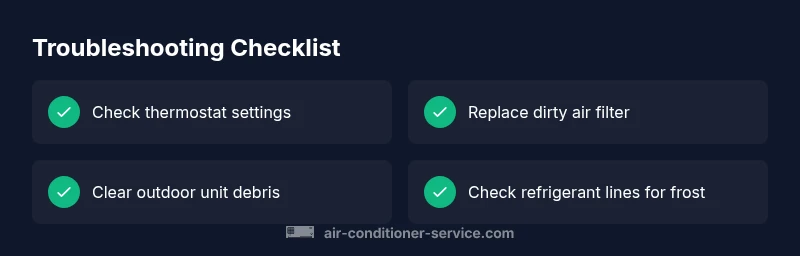
Begin with the basics before calling for help. Check that the thermostat is set to cool and the temperature setting isn’t higher than the ambient room temperature. Inspect the air filter and replace it if it’s dirty or clogged. Look at the outdoor condenser: remove debris, and ensure at least 12 inches of clearance for proper airflow. Verify the power supply and look for tripped breakers or blown fuses. If any of these checks resolve the issue, you may have fixed the problem; if not, move on to deeper diagnostics in this guide.
bodyBlocks2
Common Causes to Inspect in Order
Most hot-air issues come from airflow problems, thermostat settings, or electrical faults. A thermostat or remote that’s misconfigured can tell the system to heat instead of cool. A dirty air filter or blocked outdoor unit reduces airflow and makes the evaporator coil work harder, sometimes leading to overheating. A tripped breaker or blown fuse can stop the compressor entirely. In some cases, you may experience frost or ice on the evaporator coil, which points to refrigerant or airflow problems. Understanding these causes helps you prioritize fixes and avoid unnecessary parts replacement.
Steps
Estimated time: 60-90 minutes
- 1
Power down and safety check
Turn off the thermostat and switch off the AC breaker to ensure safe inspection. This prevents electrical shocks while you check controls and components.
Tip: Never touch electrical components with wet hands. - 2
Check thermostat settings
Confirm the system is set to cool and the temperature is reasonable. If using a programmable or smart thermostat, verify schedules aren’t forcing heat.
Tip: If using a smart thermostat, try turning off “eco” modes temporarily to test cooling. - 3
Inspect and replace the air filter
Remove the filter and check for dirt or debris. Replace disposable filters or clean reusable ones according to the manufacturer’s guidelines.
Tip: Clean filters improve airflow and reduce coil temperature. Don’t use a filter beyond its rated replacement interval. - 4
Check outdoor unit clearance
Look for leaves, grass, or debris blocking the condenser. Trim vegetation and ensure around 12 inches of clearance on all sides.
Tip: Avoid hosing the fins directly; use a garden hose on a gentle spray if needed. - 5
Inspect for ice on the evaporator coil
If you see ice, the coil may be freezing due to low refrigerant or poor airflow. Turn the unit off to let it thaw and investigate airflow or refrigerant issues.
Tip: A running unit on ice can cause compressor damage if continued. - 6
Check electrical connections at the unit
Inspect outdoor disconnects and the condenser wiring for signs of wear or loose connections. Tighten or replace as needed (by a qualified tech).
Tip: Loose connections can lead to intermittent cooling or faults. - 7
Test the fan and compressor operation
Listen for the outdoor fan and observe if the compressor engages. If the fan runs but the compressor doesn’t, this points to electrical or compressor failure.
Tip: Do not bypass safety switches or attempt to rewire. - 8
Check condensate drain and refrigerant lines
Ensure the condensate line is clear and not backing up. Look for refrigerant line frost but do not touch refrigerant pipes if you’re unsure.
Tip: Refrigerant handling requires licensed professionals. - 9
Decision point: call a pro
If the above steps don’t restore cooling or you suspect refrigerant or severe electrical issues, schedule a professional diagnostic.
Tip: Document observations (noise, ice, error codes) to aid the technician.
Diagnosis: Air conditioner blows warm air even when set to cool
Possible Causes
- highThermostat or control settings are incorrect (mode or temp)
- highTripped breaker or blown fuse cutting power to the compressor
- mediumDirty or restricted air filter reducing airflow
- mediumOutdoor unit obstructed or restricted airflow
- lowLow refrigerant due to a leak or improper charging
- lowCompressor failure or electrical fault
Fixes
- easyVerify thermostat is in cooling mode and set to a reasonable temperature (e.g., 72°F).
- easyReset or replace tripped breakers and blown fuses; restore power to the compressor.
- easyReplace dirty air filters and remove obstructions around vents and returns.
- easyClear debris around the outdoor unit and ensure at least 12 inches of clearance.
- mediumIf refrigerant leak or compressor issues are suspected, contact a licensed technician.
Common Questions
What is the first thing I should check when my AC blows hot air?
Start with the thermostat settings, power supply, and the air filter. These are the most common causes and fixable without tools. If cooling still doesn’t occur, proceed with the diagnostic flow.
First check thermostat settings, power, and the air filter. If cooling still doesn’t happen, move through the diagnostic steps.
Can a dirty air filter really cause warm air?
Yes. A clogged filter restricts airflow, causing the evaporator coil to overheat and push warm air into the space. Replacing the filter can restore proper cooling.
A dirty filter can restrict airflow and cause warm air; replacing it often fixes the issue.
When is it safe to keep using the AC if it’s blowing hot air?
If the air is hot and you suspect a refrigerant leak or electrical issue, stop using the unit and contact a professional. Running it could cause further damage.
If you suspect leaks or electrical problems, turn the unit off and call a pro.
How can I tell if I have a refrigerant leak?
Common signs include reduced cooling, hissing sounds, oily residue near connections, and ice on refrigerant lines. Leaks require a licensed technician.
Look for reduced cooling, hissing sounds, or oil around connections; leaks need a pro.
Will a thermostat replacement fix the problem?
Often yes, especially if the current thermostat is malfunctioning or not communicating with the outdoor unit. Ensure compatibility with your system and proper wiring.
Sometimes a thermostat replacement will restore proper cooling if the old one is faulty.
When should I call a professional?
Call a professional if you suspect refrigerant leaks, electrical faults, ice on coils that won’t thaw, or repeated breaker trips. These require specialized tools and safety protocols.
Call a professional if you suspect leaks or electrical faults; it’s not safe to DIY these.
Watch Video
The Essentials
- Check thermostat and power first
- Replace dirty filters promptly
- Keep outdoor unit clear of obstructions
- Call a pro for refrigerant or electrical concerns
- Prevent future issues with regular maintenance