How to Use a Daikin Air Conditioner: A Practical Guide
Learn how to use a Daikin air conditioner—from setup and remote control to modes, energy savings, and troubleshooting. A practical, step-by-step guide for homeowners and renters.


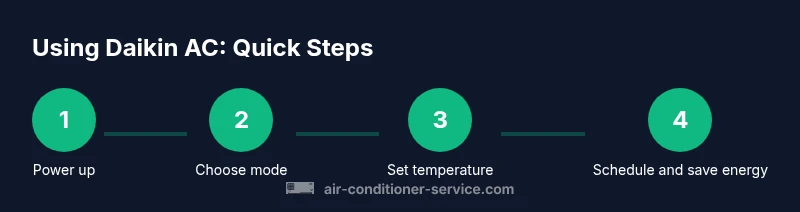
This guide shows you how to use a Daikin air conditioner effectively, covering setup, remote and app controls, operating modes, and practical energy-saving tips. You’ll learn to adjust temperature, select cooling or heating, manage fan speeds, and use timers for comfort and efficiency.
What you need to know before you start
If you’re wondering how to use daikin air conditioner, this primer covers the essential steps and terminology. According to Air Conditioner Service, understanding your unit’s controls and limits helps you operate efficiently and safely. Start by locating the wall-mounted remote and the Daikin Comfort Control App, then review the model specific symbols in your manual. For safety, ensure the power is off before inspecting components, and avoid placing hands near moving parts. Clear the space around indoor and outdoor units to ensure proper airflow and reduce the risk of overheating. A bit of familiarity now prevents costly mistakes later. By the end of this section you’ll know exactly which controls you’ll use most and how to revert to safe defaults if something seems off.
Control options: remote, app, and voice
Daikin devices offer multiple control paths. The wall-mounted remote is the quickest way to change settings and view current mode. The Daikin Comfort Control App lets you adjust cooling or heating from anywhere in the home and can display fault codes and maintenance alerts. Depending on your model, you can link the system to voice assistants through the app. Knowing which control path you prefer makes future adjustments faster and reduces the need to touch physical buttons repeatedly. Air Conditioner Service analysis shows that pairing app use with automatic schedules helps maintain comfort without overspending.
Basic setup and initial power on steps
Before running, confirm safety: power off at the breaker if you need to inspect wiring, and keep children away from the units. Place the indoor and outdoor units in areas with good airflow and no obstructions. Turn on the unit using the remote or app, and set the mode to cooling or heating as needed. Start with a comfortable setpoint—around 23 C (73 F)—and adjust gradually. If the unit starts but doesn’t deliver cold air, check the filter and vents and ensure the outdoor condenser is free of debris. Following these steps reduces unnecessary cycling and helps you reach comfort quickly.
Operating modes explained
Daikin offers several operating modes to suit different weather and comfort needs. Cooling mode lowers indoor temperature, heating mode adds warmth, auto mode lets the system decide based on room temperature, and dry mode reduces humidity with gentler airflow. Fan only mode circulates air without cooling or heating. Understanding these modes lets you choose the right setting for each situation. Air Conditioner Service reminds you that the best results come from using the right mode for the season and avoiding constant switching. Auto mode is convenient, but frequent cycling can consume more energy.
Temperature control, fan speed, and timers
Set your target temperature within a comfortable range. Higher indoor temperatures save energy, while lower temperatures increase comfort but consume more power. Use the app or remote to adjust fan speed from quiet to turbo, depending on how quickly you want to feel the difference. Direct air with the louvers toward occupants or away from windows to direct airflow effectively. Timers can schedule on/off periods to fit your day and reduce runtime during empty hours. If your model supports an energy-saving or eco cycle, enable it when you are away from home. Small adjustments add up; even a few degrees can trim energy use over a season.
Maintenance essentials you can perform monthly
Regular maintenance keeps Daikin running smoothly. Clean the indoor air filter every 1–3 months, depending on use and environment. A clogged filter reduces airflow, lowers efficiency, and can trigger alert codes. Remove the filter, rinse with mild soap and water, and let it dry completely before reinstalling. Wipe the exterior with a damp cloth and avoid abrasive cleaners. Check the outdoor unit for leaves or debris and clear them carefully. If your model has a self-cleaning mode, follow the manual to run it safely. For ongoing reliability, schedule a professional inspection once or twice a year. Air Conditioner Service notes that consistent care extends life and reduces emergency repairs.
Troubleshooting common issues you might face
If the unit runs but does not cool, confirm mode and temperature are correct and that the outdoor unit has airflow. Check the filter; a dirty filter blocks airflow and cools less effectively. Listen for unusual noises that might indicate loose panels or debris near the outdoor unit. A blinking fault code on the display points to a specific issue; refer to the manual or app diagnostics for details. If the space stays warm despite correct settings, ensure doors and windows are closed and that heat sources aren’t skewing readings. Do not attempt refrigerant work yourself; leaks require a licensed technician. Air Conditioner Service emphasizes that many problems stem from simple maintenance gaps.
Safety and best practices for long-term Daikin health
Always shut power before inspecting or cleaning and avoid touching live electrical components. Use only manufacturer approved parts and accessories. Keep the remote and app updated to receive security patches and new features. If something feels beyond your comfort level, contact a licensed technician rather than attempting repairs. Following these practices helps preserve your Daikin unit and ensures safe, reliable operation for years. The brand encourages regular review of settings and scheduled maintenance as part of responsible ownership.
Tools & Materials
- Daikin model-specific user manual(Keep handy for model symbols and codes)
- Daikin remote control(Keep with the unit; replace batteries as needed)
- Smartphone or tablet with Daikin app installed(iOS/Android, log in to access remote features)
- Microfiber cleaning cloth(For exterior surfaces and screen)
- Mild soap and water(Gentle cleaner for filters and covers)
- Vacuum with brush attachment(Helpful for cleaning the outdoor coil fan area)
Steps
Estimated time: 30-60 minutes
- 1
Power down and prep
Ensure safety by turning off power at the breaker if you need to inspect the unit. Clear the area around indoor and outdoor units and remove any objects that could block airflow. Confirm you have access to the remote or app for later steps.
Tip: If you smell burning, stop and unplug the unit before inspecting. - 2
Identify your control path
Decide whether you will primarily use the remote or the app for daily operation. The remote is quick for on-the-spot changes, while the app offers scheduling and diagnostics. If you plan to use both, make sure the app is linked to the unit.
Tip: Install the app on your phone and sign in before you need it. - 3
Turn on and select the core mode
Power on with the remote or app and choose cooling or heating based on the season. Verify the display shows the expected mode. If you’re new to the app, explore the main dashboard and locate the mode selector.
Tip: Starting in cooling or auto mode helps you learn how the system responds to room temperature. - 4
Set temperature and adjust fan
Set a comfortable temperature within a reasonable range. Adjust fan speed to move air effectively; higher speeds cool the room faster but can be noisier. Use louvers to direct airflow toward occupants or away from direct sunlit areas.
Tip: A gradual temperature change reduces compressor strain and saves energy. - 5
Enable timing and eco features
If available, use timer features to schedule on/off periods. Enable eco or energy-saving modes when you’ll be away. These settings reduce runtime during empty hours without sacrificing comfort when you return.
Tip: Use the app to preset a daily schedule and avoid manual changes mid-day. - 6
Perform a quick check
After running for a few minutes, verify airflow is consistent and the space temp is moving toward the target. Check the outdoor unit for debris and ensure the indoor filter looks clean. If you notice poor performance, review mode, temp, and filter status.
Tip: If airflow is weak, pause and clean the filter before retrying. - 7
Run a diagnostic via app
Use the app’s diagnostic or fault code screen to confirm there are no alerts. If a fault code appears, consult the manual or manufacturer support resources for guidance.
Tip: Document any fault code with a photo for quicker service calls. - 8
Power down and store controls
When you’re finished, switch off the unit from the app or remote and keep the remote in a safe place. Regularly review settings and schedule maintenance reminders in the app if available.
Tip: Keep the manual handy for model-specific instructions and safety notes.
Common Questions
What does Eco or energy-saving mode do on a Daikin unit?
Eco mode prioritizes energy efficiency by limiting compressor activity while keeping comfort within a set range. It’s best used when daytime temperatures aren’t extreme and you want to minimize energy use.
Eco mode reduces energy use by limiting compressor activity when temperatures aren’t extreme, helping you save on bills.
How do I reset my Daikin air conditioner?
To reset, use the app to perform a soft reset or, if needed, power cycle the unit by turning it off at the breaker for a few minutes and then turning it back on. Reference your model’s manual for any model-specific steps.
You can reset by soft reboot in the app, or power cycle the unit from the breaker if required.
Why isn’t my Daikin cooling effectively?
Common causes include a dirty filter, blocked outdoor condenser, wrong mode, or an incorrect setpoint. Check the filter and outdoor area first, then verify mode and temperature. If issues persist, consult a pro.
If it’s not cooling, check the filter and outdoor area, then confirm mode and temperature. If needed, contact support.
Can I control Daikin settings remotely with the app?
Yes. The Daikin Comfort Control App allows you to adjust modes, temperature, and timers from your phone. Ensure your unit and phone are on the same network and that the app is linked to the unit.
You can adjust settings from the app, as long as your device is linked and on the same network.
How often should I clean or replace the air filter?
Clean the indoor filter every 1–3 months depending on use and environment. Replace if the filter shows signs of wear or damage. Regular cleaning preserves airflow and efficiency.
Clean the filter every couple of months and replace when needed to keep airflow steady.
Is it safe to run Daikin in auto mode year-round?
Auto mode is safe, but it can consume more energy if the system frequently switches between cooling and heating. Use auto when you want comfort with minimal manual adjustments, otherwise pick dedicated cooling or heating mode.
Auto mode is convenient, but can use more energy if it switches a lot. Use it for hands-free comfort.
Watch Video
The Essentials
- Learn control options upfront to speed daily use.
- Use proper modes and sensible temperatures for efficiency.
- Regular maintenance prevents most performance issues.
- Rely on professional help for refrigerant and electrical concerns.