Should Air Conditioner Be on Auto or Fan? Practical Guide for 2026
Discover when to use Auto or Fan mode on your air conditioner, how each choice impacts comfort and energy use, and practical steps for homeowners and renters in 2026.


In most homes, Auto is the best default because the system cools and dehumidifies efficiently, with the fan running only when needed. Switch to Fan when you want constant airflow without cooling, or during very humid days near heat sources. Adjust based on comfort and energy goals.
Should Air Conditioner Be on Auto or Fan: A Quick Overview
If you’re wondering should air conditioner be on auto or fan, understanding what each mode does helps you pick the best setting for comfort and energy savings. Auto allows the thermostat to control both cooling and fan operation, turning the fan on only when cooling is needed. This typically reduces humidity over time and minimizes energy use because the fan isn’t running continuously when cooling isn’t required. Air Conditioner Service notes that most homes benefit from Auto as the default, because it adjusts to fluctuating temperatures and humidity levels automatically. The goal is to strike a balance between steady comfort and efficient electricity use, rather than forcing the fan to run constantly. By starting with Auto, you enable the system to manage dehumidification and temperature with minimal user intervention. For those who prefer steady airflow without intermittent cooling, Fan can be a temporary choice, but it can increase energy use if left on for long periods. In dry climates, Auto provides automatic humidity management that often improves comfort without noticeable energy penalties, whereas Fan without cooling won’t drop temperature and can spread warm air if the unit is already off.
Auto Mode: Why It Works for Most Homes
Auto mode is designed to be a hands-off, efficient default. When the thermostat detects that room temperature is above the setpoint, the air conditioner turns on both cooling and the indoor blower. Once the target temperature is reached, the compressor may shut off while the fan continues briefly to remove residual heat from the coil. This sequence yields several benefits: better humidity control, reduced peak power draw, and fewer rapid on/off cycles that wear components. According to Air Conditioner Service, Auto mode generally delivers the best combination of comfort and efficiency for typical living spaces. If you live in a climate with humid summers, Auto helps maintain a comfortable interior without over-drying the air. The trade-off is that you won’t have constant airflow when the compressor isn’t running, which some users interpret as a loss of “air movement.” In practice, most families notice improved comfort and lower energy bills when Auto is used as the default.
Fan Mode: When Continuous Airflow Helps
Fan mode runs the blower continuously or on a constant cycle, regardless of whether the compressor is cooling. Choosing Fan is useful in specific scenarios: you want air movement to distribute cooled air quickly after a door or window opening, you’re in a space that collects heat from electronics or appliances, or you’re trying to feel more comfortable during a heat wave when humidity is moderate. One caveat from energy and comfort perspectives is that Fan increases electricity use because the blower stays on even when cooling isn’t active. It can also dry the air more quickly, which isn’t always desirable in dry climates. Fan mode can help with odor control by circulating air, but it won’t reduce the room temperature on its own. If you’re experimenting with comfort, try Fan for a few hours at night and compare the perceived coolness and humidity against Auto during the same period.
Practical Ways to Test Auto vs Fan in Your Home
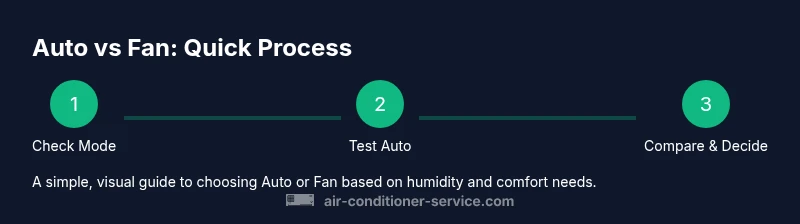
A practical approach is to run a simple two-week test. Week 1: Use Auto as your default setting and log daily comfort, humidity feel, and electricity usage if your monitoring allows. Week 2: Switch to Fan during the same hours and compare: is the indoor feel drier or cooler, and how much energy is consumed? For apartments or rooms with large sun exposure, Auto often performs well by responding to external heat; for living rooms with open floor plans, Fan can help move air more evenly when dynamic occupancy changes heat loads. Record observations in a notebook or energy-tracking app to quantify the effects, then choose the setting that meets your comfort and energy goals most consistently.
How Humidity Affects Your Choice
Humidity control is a central reason to prefer Auto. When the system cools, dehumidification occurs naturally as a side effect of condensation on the evaporator coil. Auto ensures the compressor cycles on and off to maintain your set temperature while the fan helps distribute this drier air. In humid climates, Auto’s humidity management can reduce muggy feel significantly, whereas Fan can keep air moving but won’t actively lower humidity unless cooling is engaged. If humidity is a persistent issue, combining Auto with a longer run-time at a slightly higher setpoint can often result in more comfortable conditions without overcooling.
Energy Efficiency: How the Modes Compare
Auto is typically more energy-efficient because the compressor cycles on only as needed and the fan operates only during cooling periods. This reduces both energy consumption and wear on the blower motor. In some older units or specific setups, Fan can be less efficient because the fan may run longer to maintain perceived air movement. The efficiency gap may be small in modern heat pump systems but can be noticeable in traditional air conditioning units with single-stage compressors. If your priority is energy savings, Auto is usually the safer bet, with occasional use of Fan during peak heat hours or when you want rapid air distribution without cooling.
Common Mistakes and How to Avoid Them
One common mistake is leaving Fan on all day during peak heat times. This increases energy costs without additional cooling, and it can overly dry indoor air. Another misstep is assuming Fan will cool the room faster; in reality, Fan only circulates air and cannot reduce temperature without the compressor running. An easy fix is to start with Auto and only switch to Fan for specific, short-lived needs—such as after cooking or after heavy sun exposure—then revert back to Auto. Remember to check your thermostat’s batteries and ensure the mode indicators are functioning correctly, since a malfunction can cause confusion about which mode is active.
Putting It All Together: Making a Choice for Your Home
Ultimately, the best choice depends on your climate, humidity levels, and comfort preferences. Start with Auto as the default, particularly in climates with noticeable humidity, and reserve Fan for times when you want air movement without additional cooling. If you consistently feel that the space is too dry or too humid, adjust your setpoint gradually and observe the impact on temperature and humidity. Every home is different, so a personal trial period—say two to four weeks—helps you identify the sweet spot that balances comfort with energy savings. The key is consistency and measurement: track how you feel, how much energy you’re using, and how the space responds to minor adjustments.
Tools & Materials
- Digital thermostat with Auto and Fan modes(Ensure it supports Auto and Fan modes, and is calibrated for your system.)
- Owner's manual for your AC unit(Use model-specific guidance to confirm mode names and wiring.)
- Thermostat app or remote access tool(Helpful for quick toggling and monitoring energy use.)
- Notebook or energy-tracking app(To log daily comfort scores and consumption.)
Steps
Estimated time: 40-60 minutes total
- 1
Check the current mode on the thermostat
Identify whether Auto, Cool, or Fan is active. If the display is unclear, consult the manual or reset the thermostat to factory defaults. Understanding the current setting helps you plan the test period.
Tip: If the display shows multiple indicators, verify with the app or manual to avoid misinterpreting the mode. - 2
Set Auto as the default
Navigate to the mode menu and select Auto. Confirm the thermostat will manage both cooling and fan operation. Note the current room temperature and your target comfort level.
Tip: Record the start temperature for future reference during your test. - 3
Observe Auto’s performance for a day
Let Auto run through a full day, noting indoor comfort, humidity feel, and electricity use. Look for steady cooling with minimal on/off cycling and a comfortable humidity level.
Tip: If the space feels muggy, slightly lower the setpoint by 1–2 degrees and monitor changes. - 4
Switch to Fan for a controlled test
Change to Fan mode and monitor how air moves and feels without cooling. Check if the air feels sufficiently circulated and whether the space remains comfortable.
Tip: Use Fan for short periods (2–4 hours) during particularly hot afternoons to compare effects. - 5
Compare Comfort and Energy Use
Return to Auto and compare the two days’ outcomes. Focus on perceived humidity, temperature stability, and the impact on your energy bill if you track it.
Tip: Keep a simple log: auto comfort score, fan comfort score, and energy notes. - 6
Adjust setpoints based on results
If Auto feels too cool or humid, raise the setpoint slightly. If Fan is preferred for airflow, shorten its use and revert to Auto when temperatures rise.
Tip: Small adjustments can produce noticeable comfort and energy savings. - 7
Incorporate humidity considerations
If humidity remains high, consider running Auto with a slightly lower setpoint for a longer period or using a dehumidification feature if your system supports it.
Tip: Avoid over-drying by not setting the temperature too low for extended periods. - 8
Document findings
Create a simple comparison chart showing Auto vs Fan across key metrics: comfort, humidity, energy use, and noise. Use this to inform permanent settings.
Tip: A visual chart makes it easier to decide for future seasons. - 9
Adopt your preferred setting
Choose Auto as the baseline for everyday use. Switch to Fan as needed for specific comfort goals, and consider seasonal adjustments.
Tip: Keep monitoring and be ready to re-test after major climate changes.
Common Questions
Can Auto and Fan be used at the same time?
No. Auto mode handles both cooling and fan control automatically. Fan mode runs the blower without cooling. Using them simultaneously is not a standard operation and can confuse the thermostat status. If you need continuous airflow, switch to Fan temporarily, then return to Auto when cooling is needed.
Auto controls both cooling and fan, while Fan runs the blower without cooling. Switch back to Auto when you want centralized cooling again.
Will changing to Fan increase my energy bill?
Yes, running the blower continuously in Fan mode uses more electricity. Auto typically uses less energy because the fan runs only when the compressor is active. Use Fan sparingly, mainly for short periods of increased air movement.
Fan uses more energy because the blower runs longer without cooling.
How do I know which setting is best for my climate?
Test both modes during typical days in your climate. Observe comfort, humidity, and energy use. In humid climates, Auto usually wins for comfort and efficiency, while Fan can help with quick air movement after heat events.
Test Auto first, then try Fan to compare comfort and energy use.
Should I set a different mode for night time?
Auto is generally suitable for nights because humidity tends to be lower and temperatures cooler. If you notice dryness or noise concerns, you can temporarily use Fan for airflow without cooling, but revert to Auto before sleeping.
Auto works well at night, but Fan can be used if you need more airflow without cooling.
What if my thermostat doesn’t clearly show Auto or Fan?
Check the manual for model-specific labels. Some units may use 'Auto' and 'On' instead of 'Fan'. If the display is ambiguous, contact the manufacturer or Air Conditioner Service for guidance.
If the display is unclear, consult the manual or get professional help.
Watch Video
The Essentials
- Start with Auto as the default setting for most homes.
- Use Fan for targeted air movement without cooling, but expect higher energy use.
- Monitor humidity to fine-tune comfort and efficiency.
- Do a personal two-week test to identify the best mode for your space.
- Document results to guide future season adjustments.