How to Check Your Air Conditioner Model Number
Learn how to locate and verify your air conditioner model number for accurate parts, warranty checks, and maintenance planning across outdoor and indoor units.


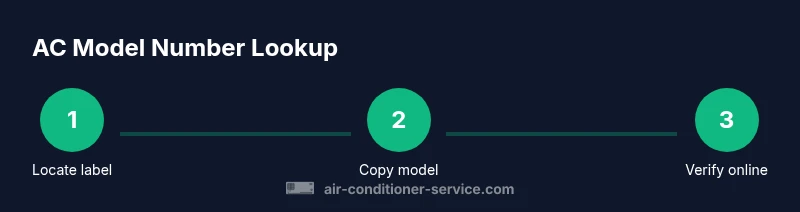
To check your air conditioner model number, locate the data label on the outdoor condenser or indoor air handler, then compare it with the operating manual or the manufacturer's site. If you can’t find the label, check service panels, electrical access doors, or warranty papers. This quick, step-by-step check helps you order the right parts and verify warranty eligibility.
What is a model number and why it matters
According to Air Conditioner Service, knowing your air conditioner's model number is the first step to getting accurate parts, troubleshooting, and service. When you ask a repair tech or check a warranty, the model number tells you the exact unit family, capacity, refrigerant type, and compatibility with accessories. For homeowners and renters learning how to check air conditioner model number, this identifier saves time and prevents ordering errors. Starting with the model number sets you up for correct replacements and clear maintenance records, which simplifies future service and resale documentation.
Where to look on the outdoor condenser
The outdoor condenser typically carries a metal data plate on the side of the cabinet. You may find the label near the service ports or under an access panel. The label lists the model number, serial number, voltage, and refrigerant type. For safety, turn off the outdoor unit at the breaker before touching any wiring, and avoid opening the high-voltage compartment unless you are trained. Read the characters carefully; some manufacturers print with small fonts that benefit from good lighting. If you document the numbers, keep them in a note with date of inspection.
Where to look on the indoor air handler
Indoor air handlers or furnaces also have a data tag inside the cabinet, often on the side panel or behind an access door. If you have a split-system or heat pump, the indoor unit may list the same model number as the outdoor unit, but always verify. Lens or flashlight can help you read small print, and photographing the label is a best practice. Note the exact characters and any letters that signify a sub-model or revision.
The owner's manual and service history
The owner's manual usually includes the model number and a model-and-serial cross-reference sheet. If you inherited the unit, search for a PDF version on the manufacturer's site using the serial number or purchase date. Maintenance records often note the model number for compatibility with filters, parts, and warranty coverage. Keeping a copy of this information reduces future lookup time when booking service visits.
How to decode common model number formats
Model numbers come in various formats, often combining letters that indicate the brand, series, and refrigerant type with digits for capacity and configuration. While each brand uses its own scheme, you can usually identify key parts: brand prefix, series code, and capacity code. A quick online search of the exact model string usually reveals the product page with spec sheets and compatible parts. If in doubt, use the model number to search both the manufacturer site and third-party parts catalogs.
How to photograph or copy the model number accurately
A clear photo is worth a thousand mistakes. Use a steady hand or tripod, zoom in on the label, and blur-free lighting. Capture all lines of text: model number, serial number, and voltage. If the print is small, try a macro mode or smartphone fine-focus setting. Save the image alongside notes on where you found it and the date.
What to do if the label is damaged or missing
If the data plate is unreadable or missing, check the manual, invoice, or warranty card for the model. You can also look for the model on the compressor or air handler serial label, which sometimes repeats the same information. If all else fails, contact the manufacturer or your HVAC technician with the unit’s approximate age and location; they can often retrieve the model from their records.
Cross-referencing with serial numbers and other identifiers
The model number is not the only identifier. Compare it with the serial number, purchase date, and type of refrigerant listed on the label or in manuals. In some cases, multiple labels exist on different components of a single system. Use the combination of model, serial, and configuration to confirm compatibility for parts and service.
How to use the model number for maintenance and repairs
With a verified model number, you can order compatible parts, request the correct filter sizes, and download the right maintenance checklist from the manufacturer. The model helps you locate the correct replacement condensers, sensors, and fans. Use it when scheduling service to avoid delays caused by incorrect parts.
Common mistakes and how to avoid them
Common errors include reading the wrong label, confusing serial numbers with model numbers, and misreading letters that look similar. Always cross-check the model number against multiple sources (manual, manufacturer site, and service records). If you wear gloves, avoid touching sharp edges, which helps you inspect labels more carefully.
Tips for keeping labels legible and accessible
Store the model number in a dedicated maintenance notebook or digital file. Photograph labels during routine checkups and back them up to cloud storage. If you rent, share the location of the label with your landlord to ensure easy access for future maintenance. Regularly inspect labels for fading and replace damaged panels promptly to prevent misreads.
Authority sources and next steps
For reliable guidance, consult official references from government and educational sources and major publications such as Energy.gov, EPA.gov, and ASHRAE. These references help validate the model number lookup process and ensure you follow safety and warranty guidelines.
Tools & Materials
- Smartphone or camera(Capture high-resolution images of all labels)
- Flashlight(Ensure readable print in dim areas)
- Screwdriver set (Phillips and flat-head)(Open access panels if needed)
- Gloves (protective)(Protect hands around sharp edges)
- Notepad and pen(Record model numbers and notes)
- Permanent marker or tape(Label locations for later reference)
Steps
Estimated time: 15-30 minutes
- 1
Power down and prepare safely
Turn off the unit at the outdoor breaker and unplug if accessible. Verify there is no voltage at accessible terminals before touching wiring. This prevents electric shock while you inspect labels.
Tip: Double-check with a non-contact tester if available. - 2
Locate the outdoor data plate
Look for the metal label on the side of the condenser cabinet, near service ports. Note the model number, serial, voltage, and refrigerant. If panels conceal the label, remove the outer cover only after confirming power is off.
Tip: Use a flashlight to read small text clearly. - 3
Open indoor access panel if needed
If the indoor unit has a cover, remove it carefully to reveal the data tag. Do not prod at wiring; work gently and keep track of screws.
Tip: Take a photo of the panel layout before removing screws. - 4
Copy or photograph the model number
Write down the model number exactly as shown, including any letters. Photograph the full label in good light. Double-check that the characters are legible and in the correct sequence.
Tip: Compare the photo with the manual page for consistency. - 5
Compare with the serial number and manual
Cross-check the model number with the serial or part numbers in the manual and any warranty card. Ensure you’re referencing the same unit (outdoor vs indoor) if multiple labels exist.
Tip: If the numbers don’t match, stop and re-check each label. - 6
Document and store the information
Record the model number in your maintenance notebook or digital file. Include date, unit location, and a photo reference. Store the information with your receipts and warranty documents.
Tip: Create a simple template to reuse for future lookups. - 7
If the label is missing, seek alternatives
If there is no readable label, contact the manufacturer or your HVAC technician with purchase date and location. They can often retrieve the model from their records.
Tip: Keep a note of the unit’s approximate age and installed location.
Common Questions
What is the difference between a model number and a serial number?
The model number identifies the specific product version and configuration, while the serial number tracks production and batch information. Both may appear on labels and are used for parts compatibility and warranty validation.
The model number shows which version you have, while the serial tracks when it was made.
Why is the model number important for parts and warranties?
Parts catalogs and warranty terms often depend on the exact model. Having the correct model number prevents wrong parts orders and ensures warranty coverage applies to your unit.
Having the right model number helps you get the correct parts and warranty support.
Where can I find the model number on an outdoor condenser?
The model number is typically on a metal data plate on the side of the outdoor unit, near service ports. Read the characters carefully, as some plates use small print.
Look for the metal label on the side of the outdoor unit.
What should I do if a label is damaged or unreadable?
If the label is unreadable, check the owner's manual or warranty card for the model. If needed, contact the manufacturer or your technician to retrieve the model.
If the label is unreadable, check the manual or contact support to retrieve the model.
Can I use the serial number instead of the model number?
While related, the serial number and model number serve different purposes. The model identifies the unit version; the serial tracks production. Use both when possible for precise part matching.
Serial and model serve different roles; use both when you can.
Is it safe to remove panels to read the label?
Only remove panels if you know the panel is accessible and you can safely power down electrical connections. Avoid exposed wiring and sharp edges.
Only remove panels if you are sure it’s safe to do so.
Watch Video
The Essentials
- Identify model numbers on outdoor and indoor labels.
- Differentiate between model number and serial number.
- Record and store the information for maintenance and warranty.
- If labels are unreadable, consult manuals or manufacturer records.
- Verify with multiple sources to avoid misidentification.