How Long Should an Air Conditioner Sit Before Turning On
Learn why waiting after installation or service matters for a safe startup. This educational guide explains when to wait, scenarios, best practices, and a practical startup checklist from Air Conditioner Service.


Definition: There isn’t a universal wait time before turning on an air conditioner after installation or major service. Follow the manufacturer’s instructions and the installer’s notes. In many cases, professionals from Air Conditioner Service recommend waiting only as long as the guidance specifies, especially if refrigerant work, oil redistribution, or pressure testing was involved.
Why waiting matters
When an air conditioner is serviced or moved, internal lubrication and refrigerant oil can shift. The compressor relies on oil that travels with the refrigerant; if the system is started too soon after certain work, the oil may not distribute evenly, which can cause reduced lubrication and potential wear. Waiting gives the system a chance to settle, verify pressure, and complete leak checks before the first cycle. According to Air Conditioner Service, following the manufacturer's guidance is the safest approach because every model has its own tolerances and installation specifics.
If a new system is installed, the manufacturer may instruct a specific waiting protocol, or a qualified installer may perform a "dry run" to confirm electrical safety and sensor responses before charging sums. In many cases, a waiting period is part of the quality assurance process to prevent startup errors and ensure a clean test. While the exact duration can vary, treating startup as a staged process reduces the risk of compressor damage and coolant leaks, and it helps verify thermostat readings and airflow.
How wait times are determined
Wait times are not the same for every job. Three main factors shape the guidance:
- Scope of work: Minor thermostat recalibration or wiring adjustments may allow immediate startup after safety checks, whereas refrigerant evacuation or line purge often requires a longer wait.
- System state: If the refrigerant has been moved, compressed oil distribution may need time to rebalance for a safe first run.
- Model specifics: Different brands and models have distinct tolerances, interlocks, and service bulletins that influence the recommended wait.
Always check the installation manual for your exact model. Air Conditioner Service emphasizes that model tolerances vary, so rely on the device’s safety interlocks and the technician’s notes. If there’s any uncertainty, perform a cautious test cycle with monitoring rather than a full startup, and be ready to shut down if you notice unusual noises, vibrations, or rising pressures.
Practical guidelines by scenario
- New installation or major service: Follow the manual or installer notes. If refrigerant work or line purge occurred, expect a wait period determined by the technician to ensure oil redistribution and complete leak testing. If the work was purely electrical, you may start after safety checks pass and power is reconnected.
- System moved or reinstalled: Treat as a potential risk scenario. Verify that all connections are secure and that there are no signs of damage or refrigerant leakage. If the installer advises a waiting period, adhere to it; otherwise, perform a careful test cycle.
- Minor repairs or thermostat tweaks: Startup can often occur once the circuit is energized and the safety interlocks are satisfied.
- After refrigerant recharge: Do not rush the first start; allow oil and refrigerant to settle as directed by the service professional. Air Conditioner Service notes that proper pressure balance must be verified.
- General rule of thumb when unsure: If the manufacturer or technician provides a specific wait time, follow it exactly. When no guidance is given, a cautious approach is to perform a test run with monitoring rather than a full operation, and to stop if anything seems abnormal.
Common mistakes to avoid
- Starting immediately after service without confirming wait guidance.
- Ignoring safety interlocks or disconnecting power without verification.
- Skipping leak checks after refrigerant work.
- Overlooking thermostat calibration or airflow restrictions during initial start.
- Not clearing the surrounding area of debris or obstructions that could affect airflow or electrical safety.
Following a structured startup improves system longevity and comfort. Air Conditioner Service recommends documenting the wait period and any notes from the installer for future reference.
Safety considerations and professional guidance
Startup safety depends on electrical integrity, refrigerant handling, and component condition. If you smell refrigerant, notice oil leaks, or hear unusual noises during startup, turn off power immediately and contact a licensed HVAC technician. Do not bypass safety switches or attempt to force a start. Use protective gear when inspecting electrical panels and refrigerant lines. When in doubt, rely on the installer’s guidance and consult Air Conditioner Service for a professional assessment. This approach reduces the risk of compressor damage, leaks, and unsafe operation.
Quick-start checklist after installation
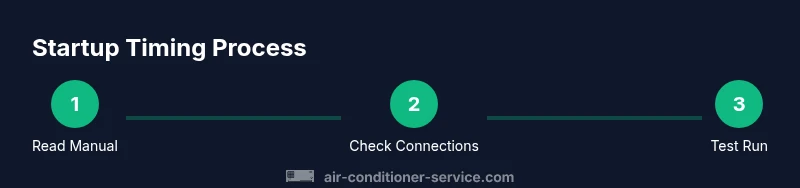
- Read the model-specific startup instructions from the manual or installer notes.
- Visually inspect for any signs of damage or leaks around line sets, coils, and electrical connections.
- Reconnect power safely and verify breakers and fuses are appropriate.
- Set the thermostat to a comfortable cooling setpoint and observe the system response for the first cycle.
- Monitor for odd noises, vibrations, or unusual smells; if detected, shut down and seek professional help.
- Verify airflow at supply registers and ensure there are no obstructions in front of outdoor condenser unit.
Authoritative sources
- https://www.energy.gov/energysaver/air-conditioning
- https://www.epa.gov/iaq
- https://www.nrel.gov/
Tools & Materials
- Owner's manual(Keep the installation/owner manual for model-specific wait times.)
- Safety gloves(Protect hands when handling electrical components and line sets.)
- Flashlight(Use to inspect panels and connections in dim areas.)
- Multimeter or non-contact tester(Useful for verifying electrical supply and safety interlocks.)
- Infrared thermometer or standard thermometer(Helps monitor return air temperature during startup checks.)
Steps
Estimated time: 60-120 minutes
- 1
Read the manual and installer notes
Open the model manual and any notes from the installer. Note any specified wait times or safety warnings before first energizing the system. This step establishes the baseline rules for your unit.
Tip: Always power off at the disconnect before handling any wiring. - 2
Inspect installation hardware and connections
Carefully examine wiring connections, electrical disconnects, and line-set fittings for signs of damage or looseness. Look for corrosion, bent pins, or discolored insulation that could indicate a fault before startup.
Tip: Use a flashlight to inspect tight spaces behind access panels. - 3
Check refrigerant lines and outdoor unit
Visually check for refrigerant line integrity, kinks, or oil staining around connections. Ensure the outdoor condenser has clear airflow and that there are no obstructions that could impede startup.
Tip: Do not touch line-set fittings with bare hands; wear gloves. - 4
Confirm waiting period or perform a dry run
If the installer specified a wait, comply with it. If no time is indicated, perform a cautious dry run by energizing safety interlocks but monitor for 10–15 minutes before allowing full operation.
Tip: If you detect any abnormal behavior, shut down immediately. - 5
Power up and run a test cycle
Restore power and set the thermostat to cooling. Observe compressor startup, fan operation, and airflow. Ensure the system begins cooling within a few minutes and the thermostat responds as expected.
Tip: Keep a safe distance from moving parts during the first cycle. - 6
Monitor for leaks and abnormal noises
During and after the first cycle, listen for hissing, banging, or grinding sounds and inspect for any refrigerant leaks. If anything unusual occurs, shut down and call a pro.
Tip: Record any odd readings or noises for the technician.
Common Questions
Is there a universal waiting period after installation?
No. Waiting periods vary by model and service type. Always follow the manual and installer notes. If refrigerant work occurred, wait as advised by the technician.
There isn't a universal wait time; follow the manual and installer notes, especially after refrigerant work.
What should I do if my unit makes unusual noises after startup?
Shut the system off and inspect for obvious issues. If the noise persists, contact a licensed HVAC technician to diagnose the cause and prevent damage.
If you hear unusual noises after startup, turn off the system and call a professional.
Can I start immediately after a thermostat change?
Yes, but ensure all safety interlocks are engaged and the electrical connections are secure. A brief test cycle can help verify proper operation without stressing the system.
After a thermostat change, start carefully and test the cycle to verify operation.
What are signs startup is unsafe?
Signs include refrigerant smells, hissing from lines, overheating, or tripping breakers. If these occur, shut down and seek professional help immediately.
Watch for leaks or unusual smells; if in doubt, shut it down and call a pro.
Who should I contact for startup guidance?
If you’re unsure, contact your installer or a licensed HVAC technician. Air Conditioner Service can provide guidance based on your model and service history.
If unsure, reach out to your installer or a licensed HVAC tech.
Watch Video
The Essentials
- Follow the manufacturer’s and installer’s guidance first.
- Wait times vary by service scope and model.
- Do a careful visual and safety check before startup.
- Monitor the first cycle for unusual signs and respond quickly.
- Consult Air Conditioner Service if unsure.